// MLC Secrets v1.9.2
Secrets for programs, not for chat transcripts
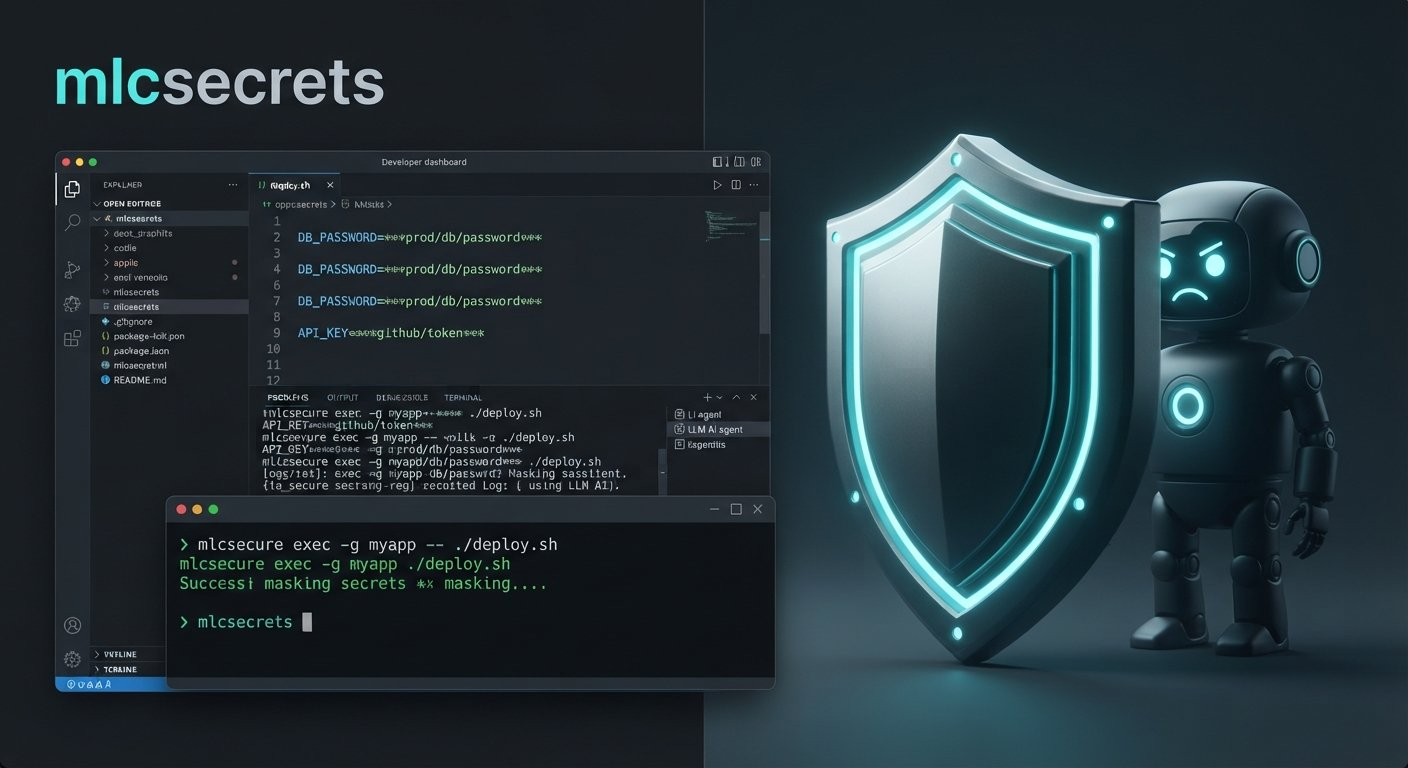
// Gallery
// Features
Why choose MLC Secrets.
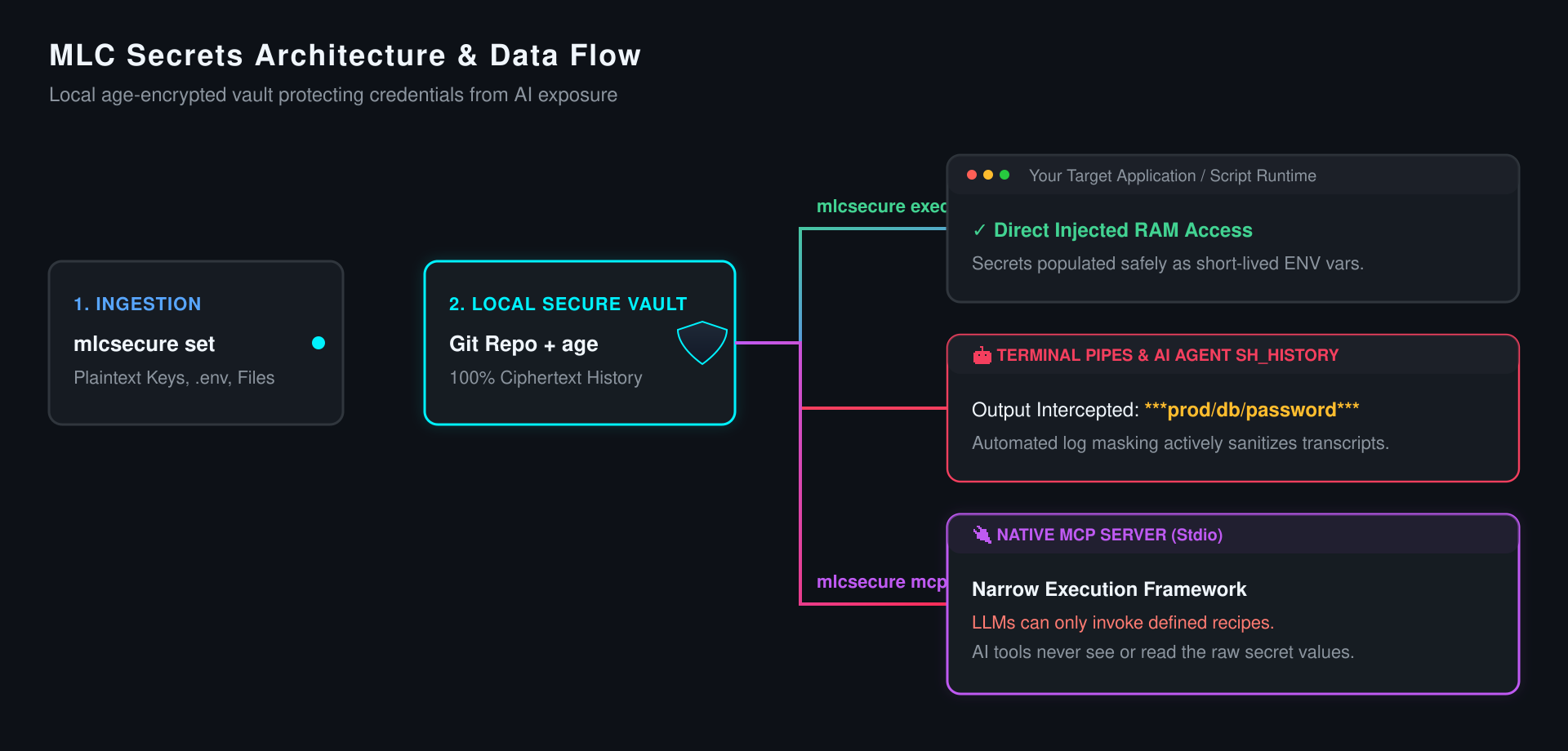
Values and whole files are encrypted with age; the store only ever holds ciphertext.
Every change is a git commit you can roll back; push to a NAS or any git server and you have an off-site backup of ciphertext.
A value that shows up in a pipe or log — raw, base64, hex or URL-encoded — becomes ***prod/db/password***.
Agents work with names only; a narrow MCP server runs the commands you defined as recipes — never anything else.
exec-only groups are usable but never shown; on-demand secrets need a time-limited grant confirmed at the terminal.
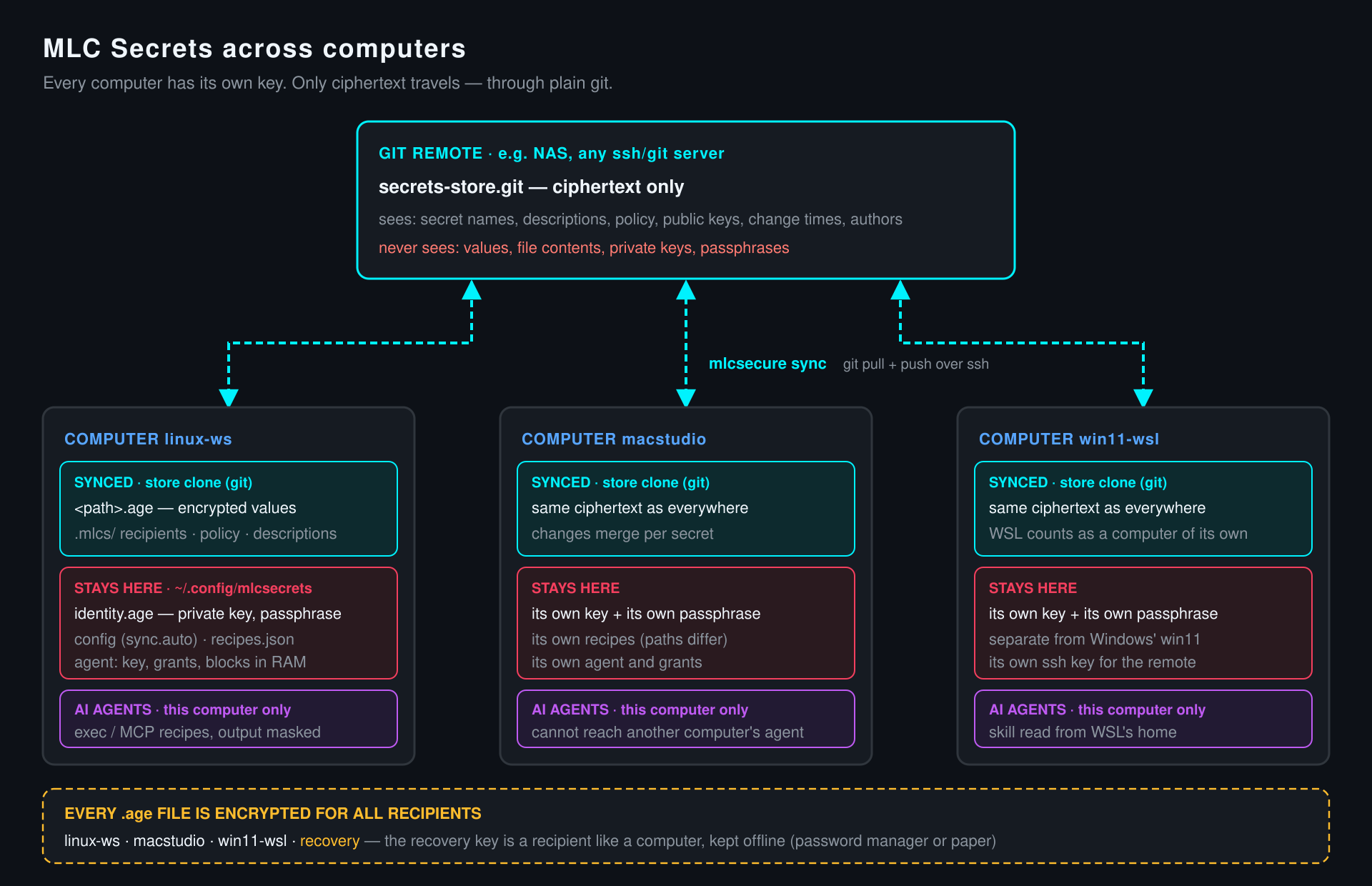
Each computer has its own key and passphrase; private keys never leave their machine.
Certificates, kubeconfigs, SSH keys and .env files reach programs as short-lived private files — or straight into ssh-agent.
A single program on top of plain git and age — no server, no cloud, no subscription.
// An AI agent meets a .env file
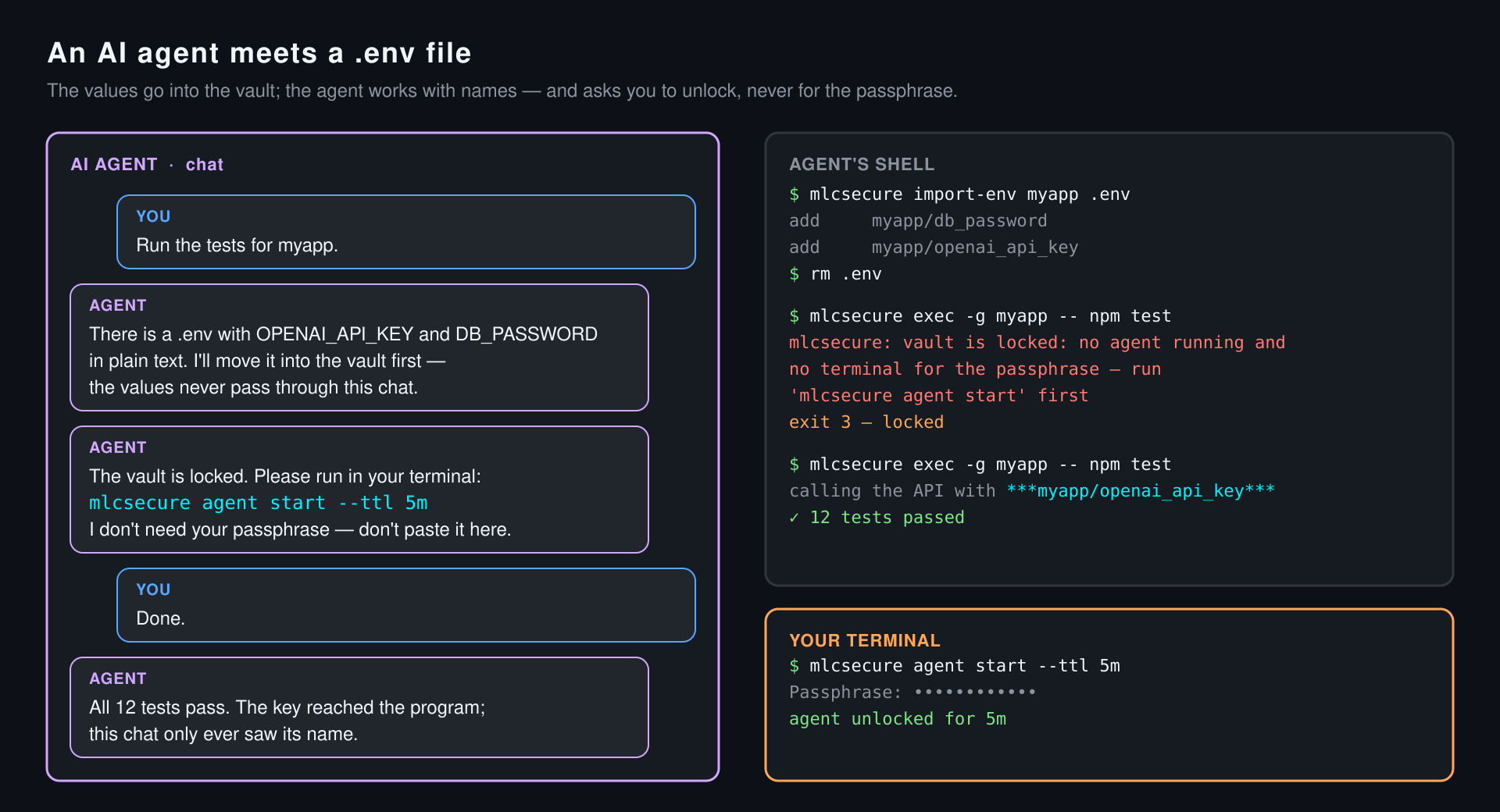
An AI agent meets a .env file
With the skill installed, a coding agent moves plain-text .env files into the vault, works with the names, and runs your tests through mlcsecure exec. When the vault is locked, it asks you to unlock — never for the passphrase.
- Locked means exit 3 and a clear hint the agent passes on
- You unlock for a few minutes: mlcsecure agent start --ttl 5m
- If the program prints the key, the transcript shows ***myapp/openai_api_key***
// Programs get secrets, transcripts don't
Programs get secrets, transcripts don't
mlcsecure exec hands secrets to a command as environment variables or temporary files. Scripts, shell history and agent transcripts only ever contain names like prod/db/password.
- mlcsecure exec -g myapp -- ./deploy.sh instead of source .env
- You at the terminal see everything; pipes and logs see ***path***
- AI tools without a shell run your recipes over MCP
// Several computers, plain git
Several computers, plain git
The store is a git repository of ciphertext. Push it to a NAS or any ssh server: the remote sees names and change times, never values. A new computer joins by handing over its public key.
- Own key and passphrase per computer — WSL counts as its own
- Offline recovery key for the worst case
- Automatic sync after every change, if you want it
API keys in .env files next to the code, tokens in shell history, a
kubeconfig in the downloads folder — every copy is plaintext, unversioned and
one git add . away from the repository. AI coding agents make it worse:
whatever an agent reads, prints or is told ends up in a transcript that is
stored, synced and sometimes shared.
MLC Secrets keeps the plaintext out of all of it. Your project, your
scripts and your agent only ever see a name — prod/db/password. The value
lives encrypted in a local git repository and reaches the program that needs
it, and nothing else.
Before the scanners have anything to find
Secret scanners — GitHub push protection, gitleaks, trufflehog — are a good safety net, but they report a key once it is already in a file, a commit or a push. By then it may sit in the history, a fork, a CI log or a backup, and the only safe answer is to revoke and rotate it. No scanner reads a chat transcript at all.
MLC Secrets works one step earlier: the plaintext never has to be in the project. Keep your scanners — they simply stay quiet.
What changes in practice
| Before | With MLC Secrets |
|---|---|
source .env && ./deploy.sh |
mlcsecure exec -g myapp -- ./deploy.sh |
PGPASSWORD=$(cat ~/.pgpass_prod) psql … |
mlcsecure exec -e PGPASSWORD=prod/db/password -- psql … |
ssh -i ~/.ssh/deploy_key server |
mlcsecure ssh-add ssh/deploy_key --for 10m, then ssh server |
a scanner flags sk-… after the push |
the repository only contains myapp/openai_api_key |
Moving an existing project over takes one command per file:
mlcsecure import-env myapp .env turns every KEY=VALUE into a stored
secret, in one commit.
History and backup, included
The store is a plain git repository. Every change is a commit, so a value
you overwrote by mistake, or deleted last month, is one mlcsecure rollback
away. Add a remote — a NAS, any ssh server, a bare repository on a second
disk — and every mlcsecure sync is also an off-site backup. Because the
repository only ever holds ciphertext, it can live wherever git can; the
same remote keeps several computers in step.
A .env file has neither: no history, and a backup of it is one more
plaintext copy.
Where it fits
- Next to a
.envfile, MLC Secrets is the step from "ignored by git" to "not there at all". - Compared with 1Password's
op run, it does a similar job locally: no account, no cloud, plus rules per group and recipes for AI tools. - Compared with sops, the secrets stay out of the project instead of living in it, encrypted.
- Compared with pass or gopass, it adds masked output, an agent that locks itself after a set time, and an MCP server that never hands out a value.
It is deliberately small: one binary on top of git and age, for Linux, macOS and Windows.
Availability and handbook
MLC Secrets is in daily use on Linux, macOS and Windows but not publicly released yet; a public release is planned. The handbook is available now.
Current version: 1.9.2, 17 November 2026. The command you type is
mlcsecure.
The complete handbook — everyday use, several computers, AI agents and the security model — as a PDF, digitally signed by H&M Software-Netzwerktechnik GmbH (how to verify):
Author
MLC Secrets is designed and written by Michael Lechner.