// OpenStreetMap MCP v1.0.0
OpenStreetMap MCP Server
// Features
Why choose OpenStreetMap MCP.
No Python, no Node.js. One file, runs everywhere. Unlike most OSM MCP servers.
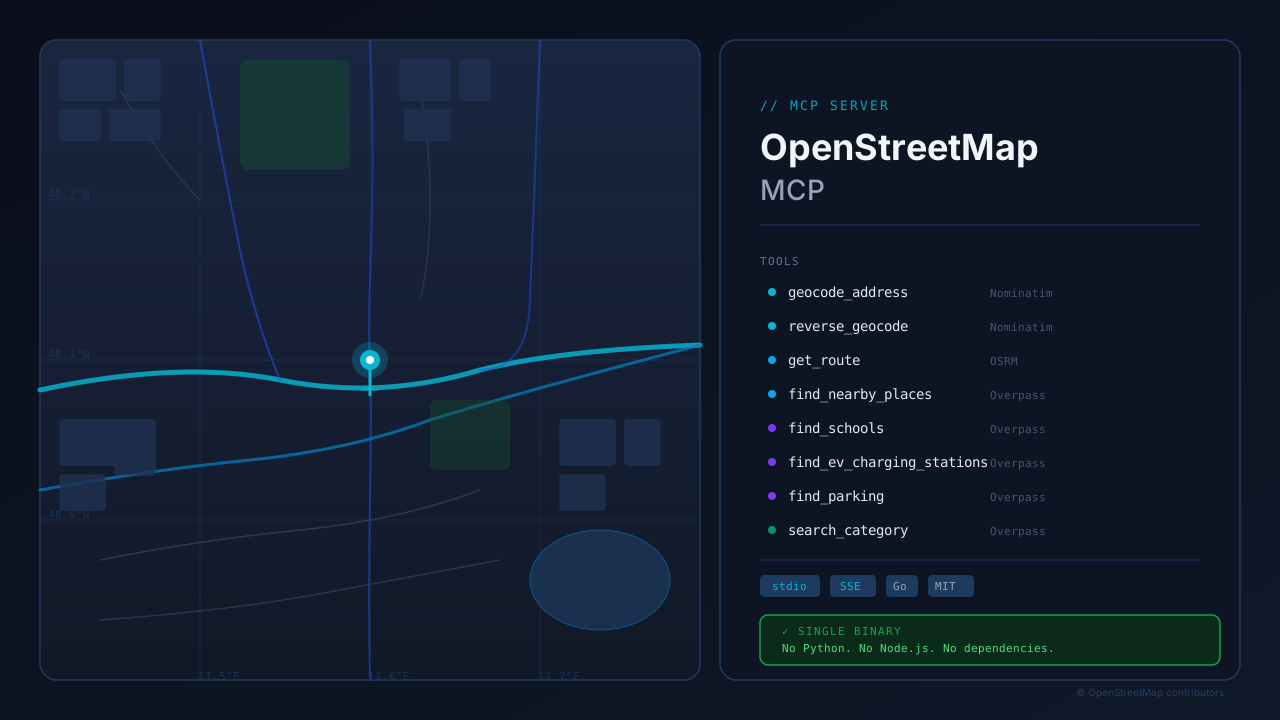
Convert addresses to coordinates and back using Nominatim.
Calculate routes for car, bicycle, or foot via OSRM.
Find schools, EV chargers, parking, and custom POIs via the Overpass API.
Works locally with Claude Desktop (stdio) and remotely over SSE.
Configurable rate limiting to respect OpenStreetMap usage policies.
// One Binary. Drop It. Done.
One Binary. Drop It. Done.
Most OSM MCP servers require Python or Node.js — with all the dependency hell that comes with it. This one is a single self-contained Go binary. Copy it, run it. No runtime, no pip install, no npm, no Docker.
- No Python, no Node.js, no runtime dependencies
- Single static binary for Windows, macOS, Linux
- Works with Claude Desktop (stdio) and remote SSE out of the box
Empower your LLM with real-world geography. The OpenStreetMap MCP server provides a seamless bridge between modern AI models and the world's most comprehensive open map data.
Why OpenStreetMap MCP?
Geography is the context for everything. Whether you are building an assistant that needs to find local schools, a logistics tool for routing, or a site analysis engine, this server provides the precise, structured data you need directly from OpenStreetMap.
Key Capabilities
- Find anything, anywhere: Leverage the Overpass API to search for thousands of POI categories—from EV charging stations to local pharmacies—with high spatial precision.
- Convert Adresses to Insights: Use Nominatim to transform human-readable addresses into machine-readable coordinates (and vice versa) for accurate mapping.
- Smart Navigation: Integrate OSRM-based routing to calculate travel times and distances for cars, bicycles, or pedestrians.
- Fair Usage by Design: Built-in rate limiting ensures your integration stays respectful of OpenStreetMap's community-driven infrastructure.
Getting Started
The server supports both Stdio for local desktop integration and SSE for remote services, facilitating deployment across a variety of environments.
Quick Setup
Claude Desktop
Add the following to your claude_desktop_config.json:
{
  "mcpServers": {
    "openstreetmap": {
      "command": "openstreetmap_mcp"
    }
  }
}
Gemini-CLI
Add to your ~/.gemini/settings.json:
{
  "mcpServers": {
    "openstreetmap": {
      "command": "openstreetmap_mcp"
    }
  }
}
MCP-Tester
Add a new profile:
mcp-tester profile add osm -c "openstreetmap_mcp"