// MLC Barcode v1.7.0
MLC Barcode
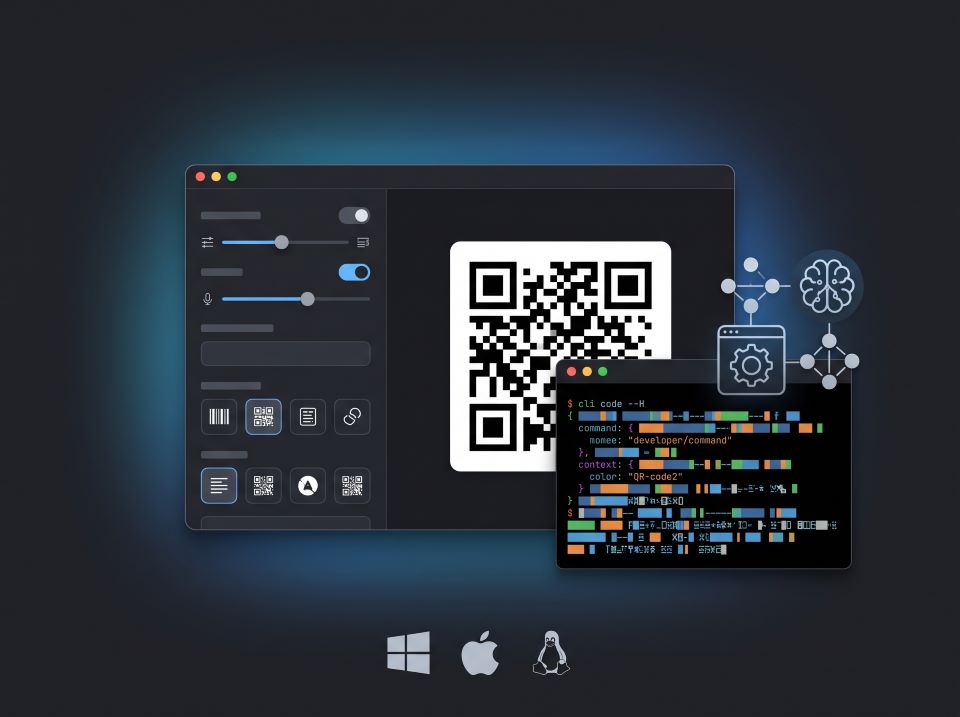
// Gallery
// Features
Why choose MLC Barcode.
Fast, native desktop app built with Wails v3 and Svelte. Includes Dark/Light mode, live preview, and clipboard integration.
Supports QR Code, DataMatrix, Aztec, PDF417, Code 128, Code 39, EAN-13, EAN-8, UPC-A, and ITF.
Import lines from text/CSV files and generate hundreds of barcodes in bulk. Export all barcodes to a folder in SVG or PNG.
Pre-configured Avery label templates (2x4, 3x7, 3x8, 4x10) or custom grid dimensions with instant browser print dialog.
Crisp vector SVG or high-res PNG output with transparent backgrounds, 1-click color swatches, and custom dimensions.
Integrated generators for EPC-QR (SEPA banking transfers), Crypto wallets (BTC/ETH), Maps (geo:), Tel, SMS, Email (mailto:), Wi-Fi, vCard 3.0, and iCal events with custom captions.
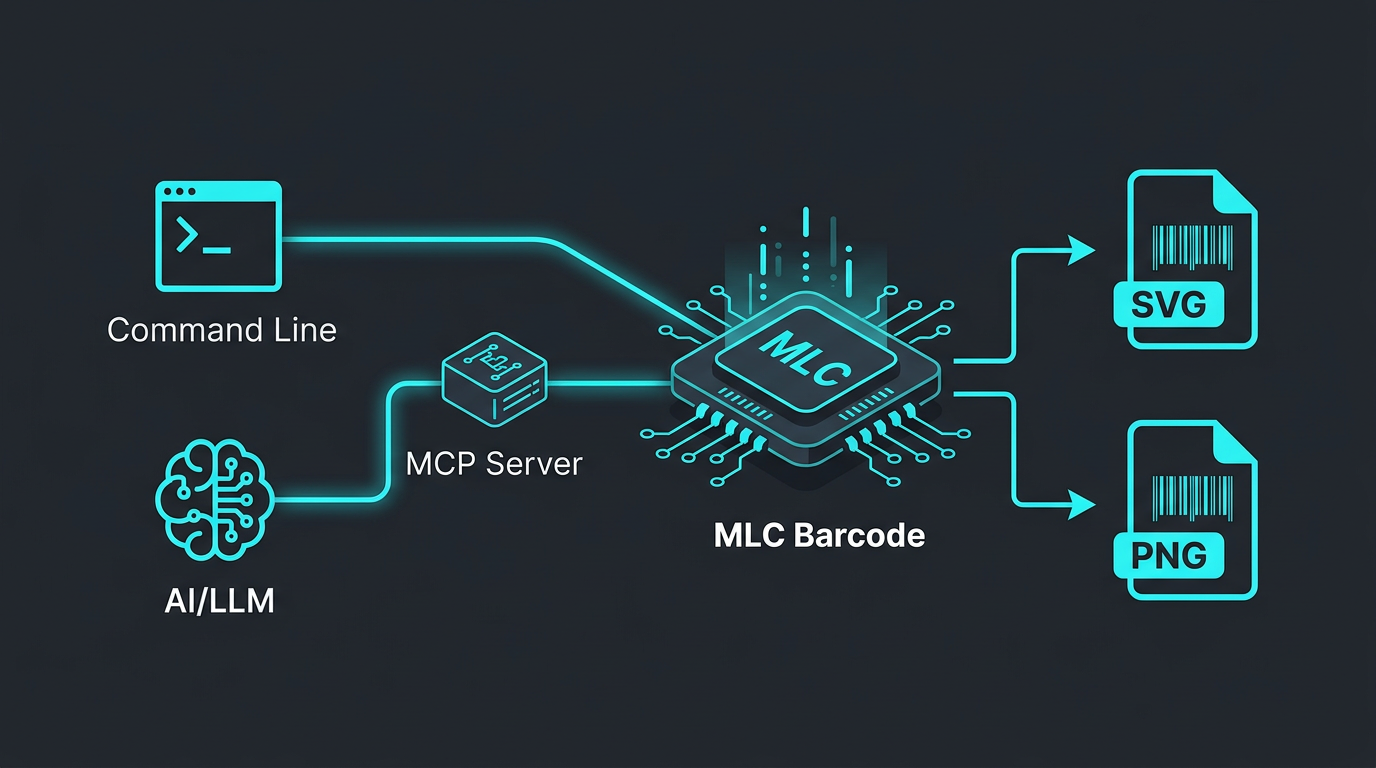
Seamless Model Context Protocol server enabling Claude Desktop, Cursor, and Gemini-CLI to generate barcodes directly in chat.
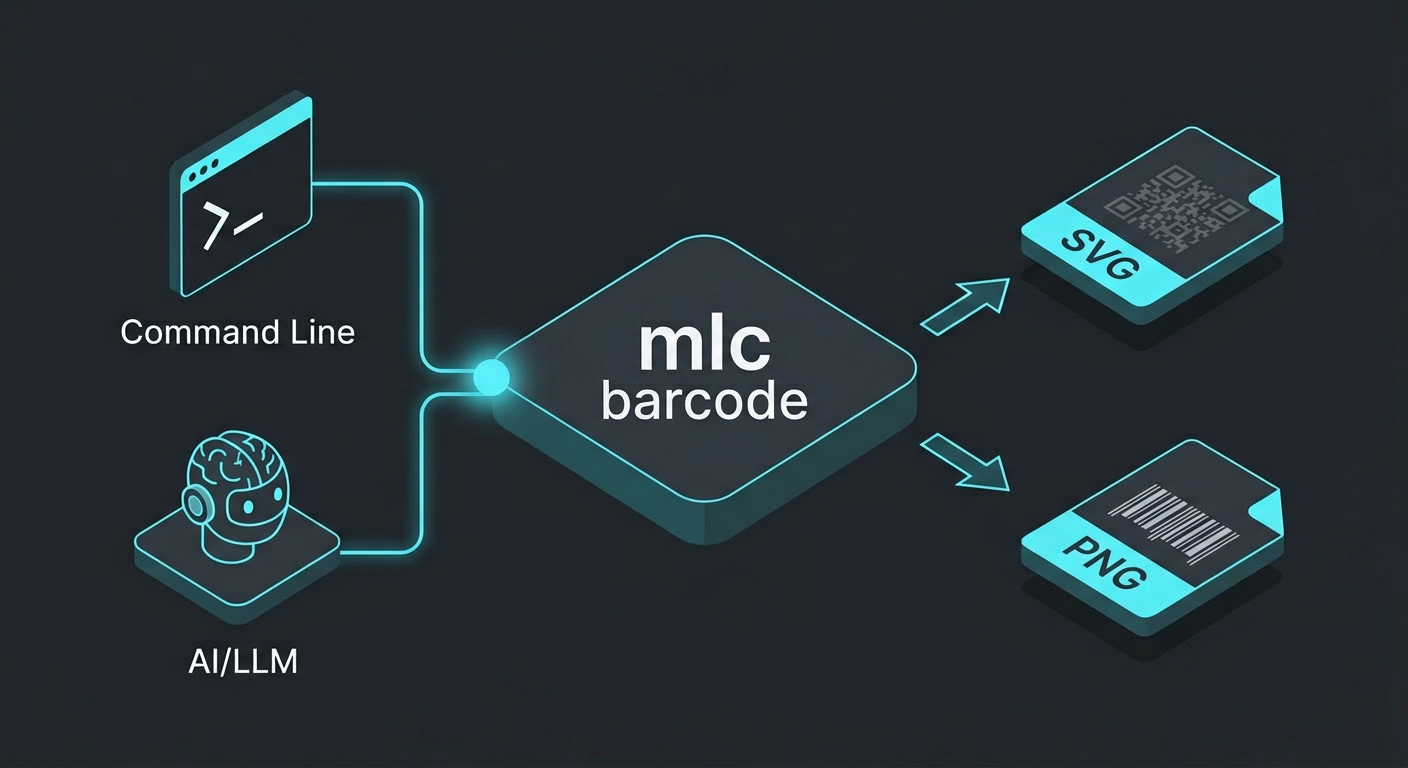
Standalone terminal tool for CI/CD pipelines, shell scripts, and headless automation on Windows, Linux, and macOS.
// Modern Desktop GUI with Live Preview
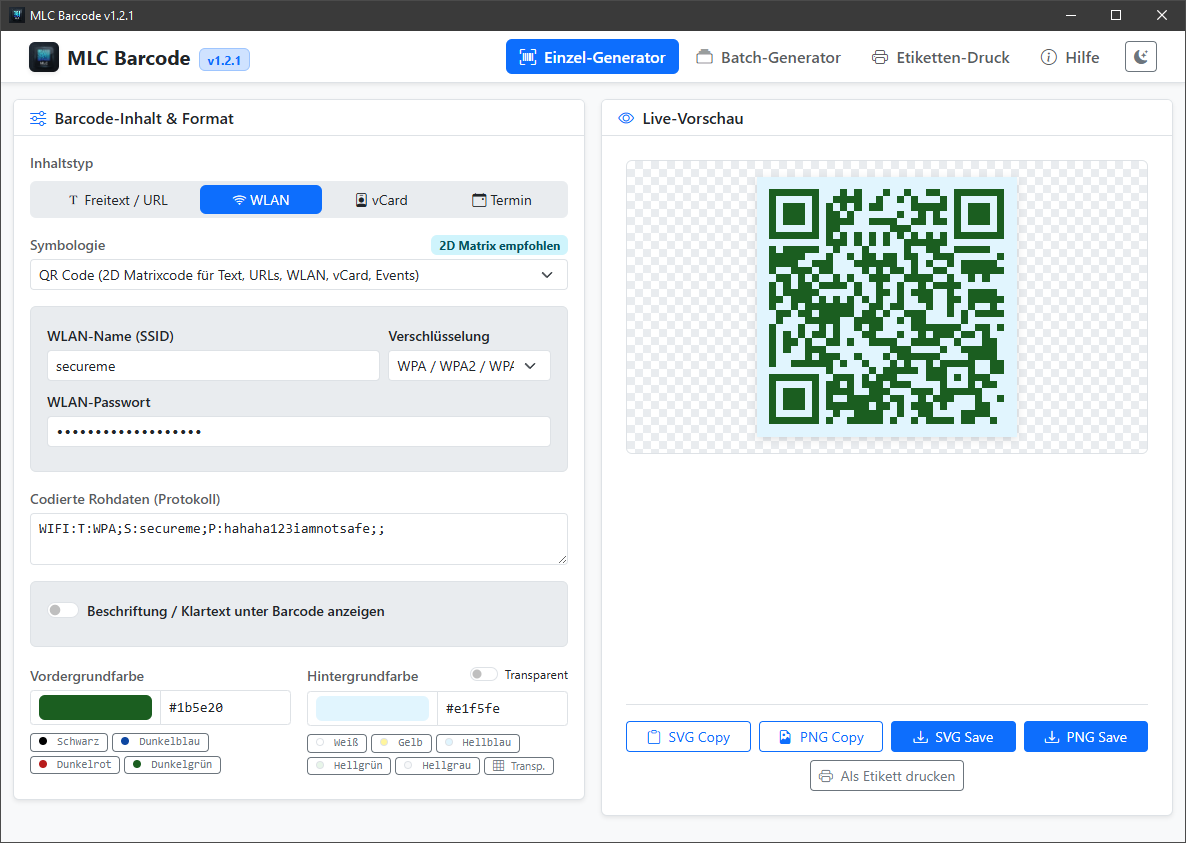
Modern Desktop GUI with Live Preview
Create barcodes with instant live rendering as you type. Choose custom colors, transparent backgrounds, and add custom label captions without cryptic raw protocols.
- Instant live SVG rendering and copy to clipboard
- Custom text captions below 2D and 1D codes
- Structured assistants for GiroCode (SEPA), Crypto, Maps, Tel, SMS, Email, Wi-Fi, vCard, and Events
- Dark & Light mode support (Bootstrap 5.3)
- Native file save dialogs for SVG and PNG
// Batch Processing & Automated Folder Export
Batch Processing & Automated Folder Export
Process multiple barcodes in seconds. Load batch lists from text or CSV files, preview all generated items in an interactive table, and export all assets into a folder with configurable naming schemes.
- File picker for text and CSV import
- Configurable naming schemes (index numbering, sanitized data slugs)
- Bulk SVG and PNG export to any directory
- One-click transfer of entire batches to the Label Sheet Printer
// DIN A4 Label Sheet Printer
DIN A4 Label Sheet Printer
Arrange single or batch barcodes directly onto standard DIN A4 sticker sheets. Supports industry-standard Avery Zweckform layouts, configurable grid rows/columns, item repeats, and direct printing.
- Avery presets: 2x4 (8 labels), 3x7 (21 labels), 3x8 (24 labels), 4x10 (40 labels)
- Custom grid dimensions and label multiplier
- Optional clear text labels below each code
- Optimized CSS print styling for clean printer output
// MCP Server Integration for AI Workflows
MCP Server Integration for AI Workflows
Equip LLM assistants like Claude Desktop, Gemini-CLI, and Cursor with native barcode generation capabilities via the standardized Model Context Protocol.
- Direct integration with Claude Desktop and Cursor
- Artifact store connection (mlcartifact)
- Standardized generate_barcode MCP tool
A modern, cross-platform suite for generating, batch processing, and printing barcodes and QR codes — available as a native Desktop App (GUI) with installer, a Command Line Interface (CLI), and a Model Context Protocol (MCP) Server for AI assistants.
What it does
MLC Barcode brings together rapid visual barcode creation, bulk automation, and AI integration in a single unified tool:
- Native Desktop GUI (Wails v3 + Svelte): Design barcodes with real-time live preview, custom color swatches, transparent backgrounds, and clean custom caption labels.
- Batch Processing (Bulk Generator): Import text or CSV files with hundreds of entries, generate entire batches in seconds, and export them into organized folders.
- DIN A4 Label Sheet Printer: Arrange single or batch barcodes directly onto standard Avery Zweckform sticker sheets (e.g. 2x4, 3x7, 3x8, 4x10) and print them instantly.
- AI Integration (MCP Server): Enables LLM agents like Claude Desktop, Cursor, and Gemini-CLI to generate barcodes directly in chat.
- Headless CLI: Ideal for shell scripts, CI/CD automated build pipelines, and server backends.
Key Features
- 10 Barcode Symbologies:
- 2D Matrix: QR Code, DataMatrix (ideal for URLs, vCards, Wi-Fi, and Events), Aztec (tickets, readable on screens).
- 2D Stacked: PDF417 (boarding passes, shipping labels, ID cards).
- 1D Linear: Code 128, Code 39, EAN-13, EAN-8, UPC-A, ITF (Interleaved 2 of 5).
- Structured QR Assistants: Built-in form wizards for:
- 💶 GiroCode / SEPA Transfers (EPC-QR): Invoicing and bank payments with IBAN, BIC, amount, and reference.
- 🪙 Crypto Wallets: Payment URIs for Bitcoin (BIP 21), Ethereum (EIP-681), Solana, Dogecoin, and Litecoin.
- 📍 Maps & Navigation: Geo coordinates (RFC 5870) for Google Maps and Apple Maps.
- 📞 Phone (tel:) & SMS (smsto:): Direct phone dialing and pre-filled SMS messages.
- ✉️ Email (mailto:): Recipient, subject line, and body text.
- 📶 Wi-Fi Access: WPA/WPA2/WPA3, WEP, and open networks.
- 👤 vCard 3.0: Digital business cards with name, phone, email, and company.
- 📅 iCalendar: Events with start/end timestamps and timezone support.
- Read & check codes: Read barcodes and QR codes from photos, scans or screenshots – all ten formats including PDF417, with the payload split into fields: IBAN check for payment QRs, PZN, batch and expiry for pharmaceutical pack codes (securPharm). Every generated code is read back automatically.
- Custom Text Captions: Add human-readable subtitles or descriptions below barcodes – adjustable font size, in SVG and PNG.
- Vector & Raster Formats: Pixel-perfect vector graphics (
SVG) and high-resolutionPNGimages. - Color & Transparency Control: 1-click color palettes for foreground and background, plus transparent alpha channel support.
- Dark & Light Mode: Interface in the colours of mlcgo.eu, dark by default, one click to switch to light.
- Windows Setup Installer: Seamless NSIS installer for Windows x64 with desktop shortcuts and start menu integration.
Tip: is your medicine cabinet up to date?
Take a photo of the square code on a medicine pack (DataMatrix) and drop it into the "Check" tab. MLC Barcode shows the expiry date, batch and PZN – and marks expired packs in red. It works best with the code centred and filling the photo – one pack per photo.
Note: the code (securPharm) is mainly printed on prescription medicines; over-the-counter packs often carry only the PZN barcode without an expiry date. The app reads the printed date – whether a medicine should still be used is best checked with your pharmacy.
Formats & Standards
| Format | Typical use | Standard | Status |
|---|---|---|---|
| QR Code | URLs, Wi-Fi, business cards, payments | ISO/IEC 18004 | ✅ included |
| DataMatrix (ECC 200) | Parts marking, industry, small areas | ISO/IEC 16022 | ✅ included |
| Code 128 | Shipping, logistics, full ASCII | ISO/IEC 15417 | ✅ included |
| Code 39 | Warehousing, government, capitals and digits | ISO/IEC 16388 | ✅ included |
| EAN-13 / EAN-8 | Retail items (with check-digit validation) | ISO/IEC 15420 | ✅ included |
| UPC-A | Retail items, North America | ISO/IEC 15420 | ✅ included |
| ITF (Interleaved 2 of 5) | Outer cases, cartons | ISO/IEC 16390 | ✅ included |
| Aztec | Rail and air tickets, displays | ISO/IEC 24778 | ✅ included |
| PDF417 | Boarding passes, shipping labels, ID cards | ISO/IEC 15438 | ✅ included |
| GS1 DataMatrix / GS1-128 | Medical devices (UDI), batch and expiry date | GS1 General Specifications | 🔜 planned |
QR contents by standard — so banking apps, calendars and phones understand them directly:
| Content | Standard |
|---|---|
| EPC QR / SEPA transfer (GiroCode) | EPC069-12 |
| Wi-Fi access | ZXing WIFI format (WPA/WEP/open) |
| Business card | vCard 3.0 (RFC 2426) |
| Calendar event | iCalendar (RFC 5545), all-day too |
| Location | geo URI (RFC 5870) |
| Phone, SMS, email | tel: (RFC 3966), smsto:, mailto: (RFC 6068) |
| Crypto payment | BIP 21 (Bitcoin), EIP-681 (Ethereum) |
Quick Setup & Installation
Windows Desktop App
Download and run the installer mlc-barcode-1.7.0-windows-setup.exe. The application installs and integrates with your start menu. A portable standalone executable is also available.
Linux Desktop App
Download the mlc-barcode-gui binary, make it executable, and run:
chmod +x mlc-barcode-gui
./mlc-barcode-gui
MCP Server for AI Assistants
You do not start the server yourself — your AI client (Claude Desktop, Claude Code, Gemini CLI, Cursor) does. You only put its absolute path into the client's configuration, for Claude Desktop in claude_desktop_config.json:
{
  "mcpServers": {
    "mlc-barcode": {
      "command": "C:\\Program Files\\MLC Barcode\\mcp-barcode-server.exe"
    }
  }
}
That is the path after the Windows setup. On macOS and Linux use the place you unpacked the archive to, e.g. /Users/me/tools/mlc-barcode/mcp-barcode-server. Then restart the client.
Step by step for every client, with troubleshooting: MCP guide
CLI Quickstart
# Basic QR code as SVG
barcode -type qr -data "https://mlcgo.eu" -out qr.svg

# EAN-13 retail barcode with text
barcode -type ean13 -data "4006381333931" -text -out retail.png

# Wi-Fi access QR code
barcode -wifi-ssid "MyNetwork" -wifi-pass "secret123" -out wifi.png
Changelog & Version History
Version 1.7.0 (Current)
- New: reading PDF417 – boarding passes, shipping labels, ID cards. The app now reads all ten formats it generates, rotated and several per image too.
- New: pharmaceutical pack codes (securPharm) – the DataMatrix on medicine packs is split into PZN, expiry date, batch and serial number, with check-digit verification. Expired packs are marked red. Both permitted data formats (GS1 and IFA) are supported. New – feedback with real packs is welcome.
- Fixed: PDF417 with umlauts was read as garbage by standard-conforming scanners ("GröÅ"). Now properly marked as UTF-8,
€and emoji included. - Licences: the PDF417 reader is a Go port of ZXing (Apache-2.0); all third-party licences ship as
THIRD_PARTY_NOTICES.txtand are shown in the Help.
Version 1.6.0
- New: read and check codes. New "Check" tab: pick, drop or paste (Ctrl+V) an image – the app recognises QR, DataMatrix, Aztec, EAN/UPC, Code 128, Code 39 and ITF, several per image. Known payloads are split into fields: for a payment QR beneficiary, amount, reference and an IBAN check; likewise business cards, Wi-Fi, events, locations and more. Also as CLI (
barcode -decode) and MCP tooldecode_barcode. - New: every generated code is read back. The preview shows "readability checked" – or warns, e.g. when code and background colour have too little contrast.
- New: Aztec and PDF417 (rail and air tickets, shipping labels). Note: phone cameras usually do not read these formats; they are meant for dedicated scanners.
- New: error messages that help – which character at which position does not fit, what is allowed and what to do instead; in German inside the app.
- Fixed: quiet zone. Generated codes had no margin; on coloured or busy backgrounds DataMatrix and ITF could not be read. Now per standard, can be switched off.
- Fixed: business cards and events with comma, semicolon or line break were written incorrectly ("GmbH; Branch" split into two entries). Crypto codes showed "+" instead of spaces. Please regenerate affected codes.
- Fixed: links in the app open in the browser instead of a second window; long Code 128 barcodes could not be generated; the in-app MCP help describes the setup for end users.
Version 1.5.0
- Important — fixed: UPC-A was encoded as the wrong number. A 12-digit UPC-A became an EAN-13 with a different number; scanners read something else. Please regenerate UPC-A codes made with version 1.4.0 or older.
- New: check-digit validation for EAN-13, EAN-8 and UPC-A while you type. A missing check digit is added; a wrong one is named and corrected with one click. Also in CLI and MCP.
- New: interface in the colours of mlcgo.eu, dark by default.
- New: captions with adjustable font size — now in PNG too (previously SVG only); over-long text shrinks to the barcode width.
- New: calendar events with date and time pickers instead of
YYYYMMDDTHHMMSS, plus all-day events. - New: label printing takes over the codes from the batch generator or imports TXT/CSV directly — column 1 content, column 2 optional label text.
- New in the MCP server: Streamable HTTP at
/mcp(spec 2026-07-28), structured results, two prompts (payment QR from an invoice, product labels), custom captions (caption). Checked with mlc mcp-tester: score 100/100. - Changed: the legacy SSE transport now lives at
/sse(previously/). - Fixed: label sheets print without the browser header and footer; input survives switching tabs; the Windows program now shows its icon (taskbar, Explorer) and version details; empty input no longer produces a code; EAN-13 no longer accepts 8 digits.
- Licence: MIT with attribution — shown in the installer, in the Help and as
LICENSE.txtin every package.
Version 1.4.0
- New: GiroCode (EPC QR) to EPC069-12 — every European banking app uses it to pre-fill a SEPA credit transfer.
- New: Cryptocurrency payments to BIP 21 and EIP-681 for Bitcoin, Ethereum, Solana, Dogecoin and Litecoin.
- New: Geo coordinates to RFC 5870 — opens the destination straight in Google Maps, Apple Maps or OpenStreetMap.
- New: Telephone, SMS and email to RFC 3966 and RFC 6068, with recipient, subject and body pre-filled.
- All six formats are available equally in the desktop GUI, on the command line and as MCP tools for AI agents.
- Fixed: spaces in the subject and body of an email QR code were encoded as
+. RFC 6068 gives the plus sign no special meaning, so conforming mail clients showed a plus instead of a space.
Version 1.3.0
- New: Native Desktop GUI (Wails v3 + Svelte) with live visual preview and clipboard export.
- New: Windows Setup Installer (NSIS) for quick installation on Windows machines.
- New: Batch Processing Engine with text/CSV file import and folder export using customizable naming conventions.
- New: DIN A4 Label Sheet Printer supporting standard Avery presets (2x4, 3x7, 3x8, 4x10) and multi-copy repetitions.
- New: Custom Text Captions (
customText) below barcodes replacing raw protocol strings. - New: 1-Click Color Palettes and transparent background support for SVG and PNG.
- New: Dark & Light Mode powered by Bootstrap 5.3 with local persistence.
- New: Custom High-Res App Branding & Icons across desktop, installer, and webview.
Version 1.2.0
- New: Structured QR code generators for Wi-Fi, vCard 3.0, and iCalendar events.
- New: Support for ITF (Interleaved 2 of 5) symbology.
- Improvement: Optimized SVG path generation with horizontal bar grouping for ultra-compact file sizes.
Version 1.0.0
- Initial release of CLI and MCP server supporting QR, DataMatrix, Code 128, Code 39, EAN-13, EAN-8, and UPC-A.