Crossfade — animated A → B transition in N steps
Smooth fade between two photos, exported as an animated WebP that plays in any browser, image viewer or chat client — no video codec, no MP4, no embed iframe needed. Each endpoint holds for a beat so the eye actually reads both images before the next pass begins. Turn on `PING_PONG` and the transition seamlessly reverses, giving you an infinite looping "before / after" reveal — ideal for product shots, edit-comparison sliders, or any time you'd otherwise reach for two separate images. The same script saves as APNG or multi-page TIFF with one line change.
A
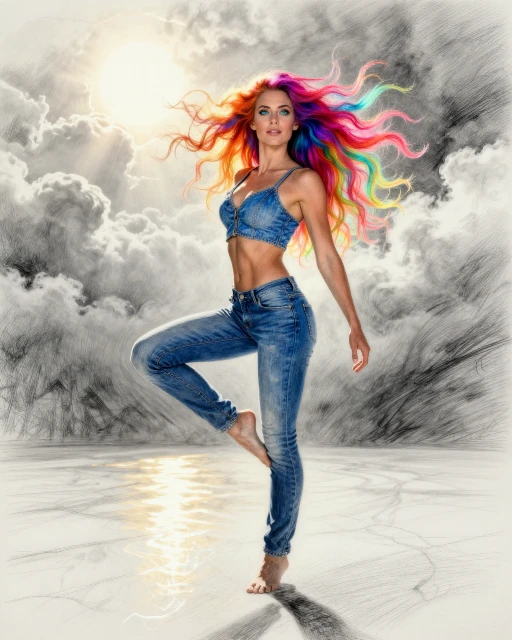
B

Crossfade animation

JavaScript
// Crossfade — animated transition from image A to image B in STEPS
// intermediate frames. Each frame is `(1-t)·A + t·B` produced by
// `imgA.clone().blendAt(imgB, px(0,0), t, Blend.Over)`: blendAt with
// `Blend.Over` and `factor=t` over an opaque base IS the linear-
// interpolation formula we want for a crossfade.
//
// Hold a few extra frames on each endpoint so the loop has a rest
// beat at A and B, and optionally ping-pong back to A for a
// satisfying continuous loop.

//!INPUT: A, B
//!OUTPUT: OUT
//!PARAM: STEPS:integer=20,min=2,max=120
//!PARAM: DELAY_MS:integer=60,min=10,max=2000
//!PARAM: HOLD_MS:integer=600,min=0,max=5000
//!PARAM: PING_PONG:boolean=true

const imgA = Engine.loadImage(A);
const imgB = Engine.loadImage(B);

// Match B to A's dimensions if they differ — keeps the blend math
// trivial and the output canvas-size consistent. Resize is the simple
// pick; a crop/cover variant would be a future param.
if (imgB.width !== imgA.width || imgB.height !== imgA.height) {
    imgB.resize(imgA.width, imgA.height);
}

const W = imgA.width, H = imgA.height;
const anim = Engine.animation(W, H, { loop: 0 });

// Total frames so the progress bar shows a meaningful denominator —
// ping-pong adds (STEPS-2) interior frames on the back half.
const TOTAL_FRAMES = PING_PONG ? STEPS + Math.max(0, STEPS - 2) : STEPS;
const p = Engine.progress("Crossfade frames", { total: TOTAL_FRAMES });

// Compute one crossfade frame at progress t ∈ [0, 1].
//   t = 0  →  pure A
//   t = 1  →  pure B
function frameAt(t) {
    return imgA.clone().blendAt(imgB, px(0, 0), t, Blend.Over);
}

// Forward pass A → B. Endpoints get the longer HOLD delay so the eye
// reads the destination before the transition kicks in / restarts.
for (let i = 0; i < STEPS; i++) {
    const t = i / (STEPS - 1);
    const delay = (i === 0 || i === STEPS - 1) ? HOLD_MS : DELAY_MS;
    const frame = frameAt(t);
    anim.addFrame(frame, { delay });
    frame.free();
    p.step(1, `forward ${i + 1}/${STEPS} (t=${t.toFixed(2)})`);
}

// Optional ping-pong B → A so the loop closes seamlessly. Skip the
// endpoints (already on the timeline as STEPS-1 and 0) and walk the
// interior frames in reverse with the regular delay.
if (PING_PONG) {
    let j = 0;
    for (let i = STEPS - 2; i >= 1; i--) {
        const t = i / (STEPS - 1);
        const frame = frameAt(t);
        anim.addFrame(frame, { delay: DELAY_MS });
        frame.free();
        j++;
        p.step(1, `reverse ${j}/${STEPS - 2}`);
    }
}
p.done(`✓ ${TOTAL_FRAMES} frames encoded`);

// Switch progress while we encode the final WebP — `anim.saveWebP`
// blocks on the libwebp animation muxer; an indeterminate spinner
// keeps the UI honest about "still doing something".
const enc = Engine.progress("Encoding WebP");
enc.message(`${TOTAL_FRAMES} frames → ${OUT}`);
// WebP lossy keeps the gallery asset small (~85 % of APNG) at
// visually identical quality. saveAPNG / saveTIFF would also work.
anim.saveWebP(OUT, { lossy: true, quality: 85 });
enc.done("✓ saved");

anim.free();
imgA.free();
imgB.free();

// © 2026 Michael Lechner · mlc OpticScript · https://mlcgo.eu · Elastic License 2.0