// MLC OpticScript v2.12.1
Transform Images with Code – Native Speed. Total Freedom.
// Gallery
// Features
Why choose MLC OpticScript.
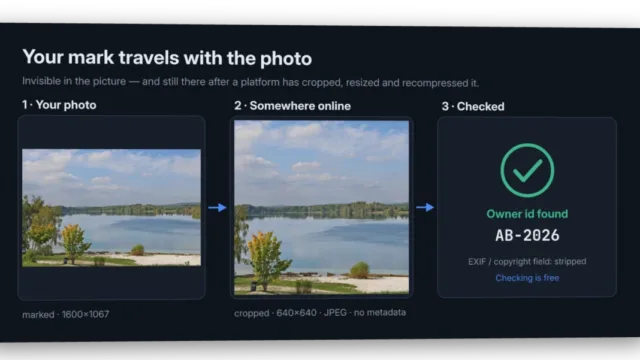
An invisible owner id in the pixels that survives resizing, cropping, turning and JPEG — and stripped metadata, backed by a signed register and a C2PA seal. With its own app, Photo Protect: drop photos in, done. Protecting with Pro, checking free for everyone.
More →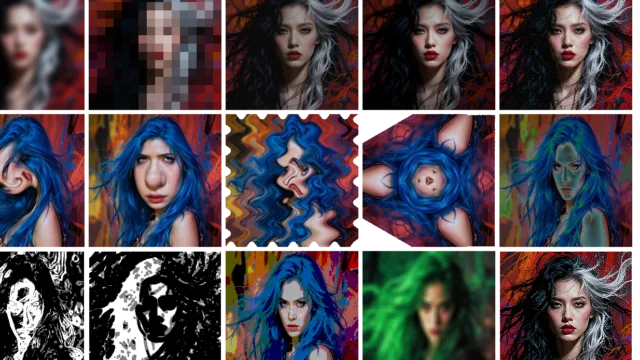
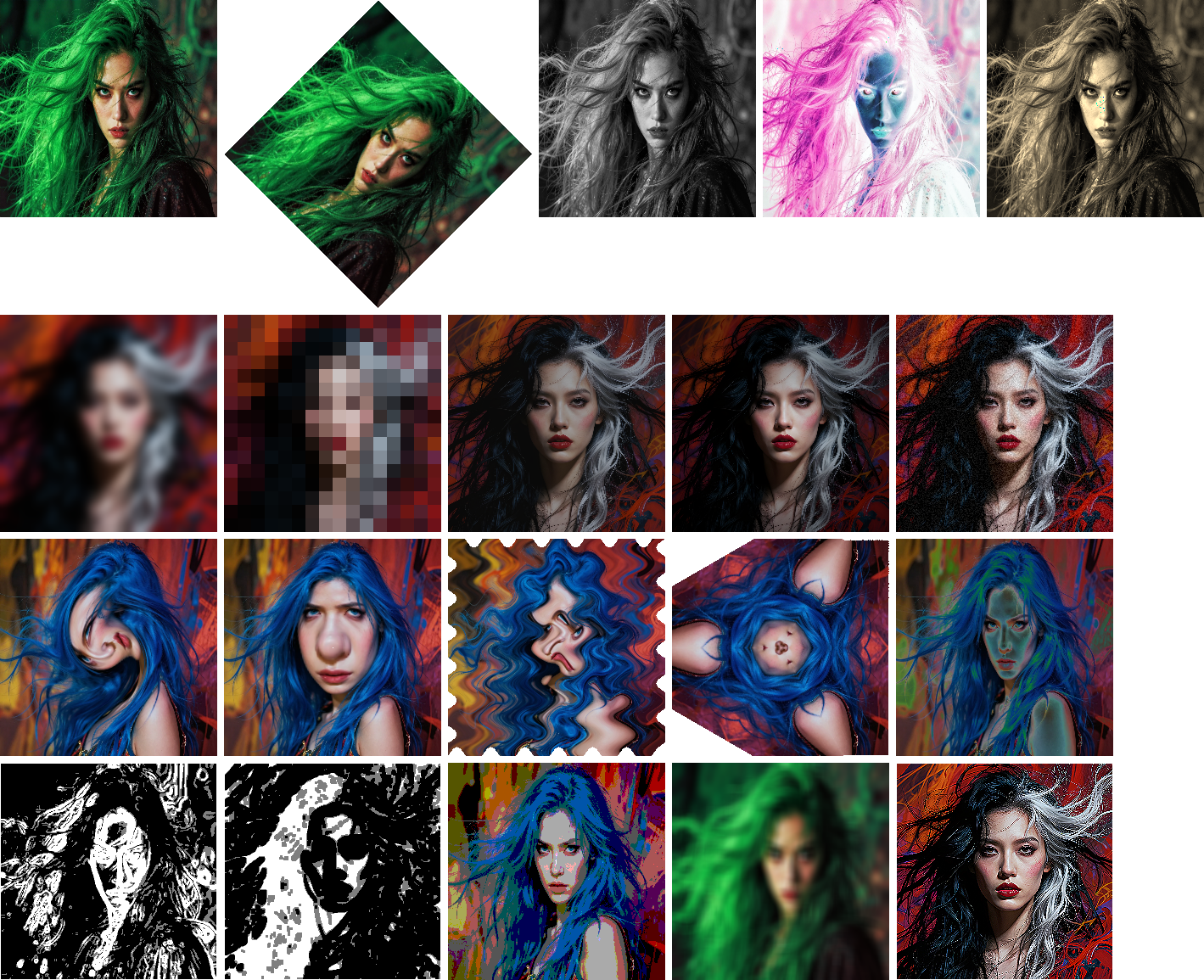
35+ image operations — blur, warp, rotate, blend, color grading, edge detection and more. Native speed, no external dependencies, ready in milliseconds.
More →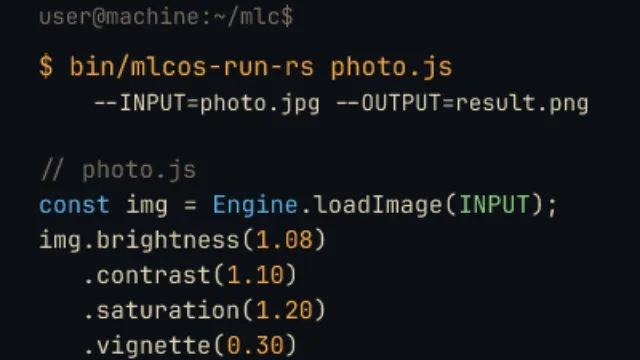
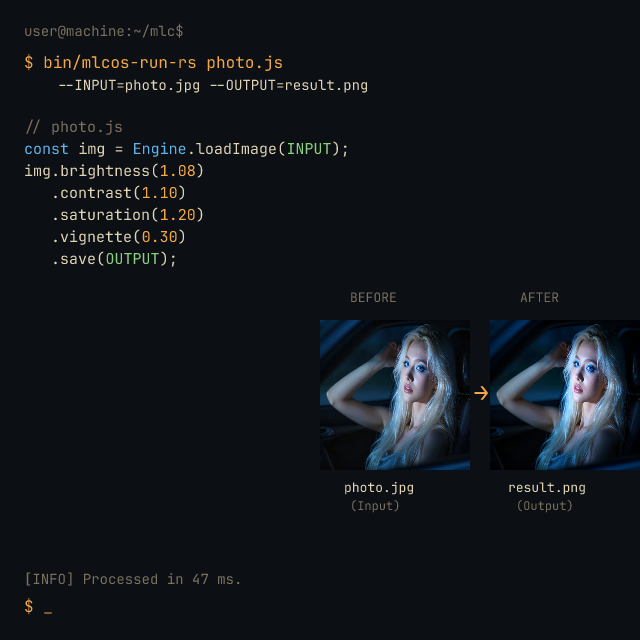
Describe what you want as a chain of steps: img.brightness(1.2).blur(2).rotate(45). One line per effect, in the order they happen — no obscure flags, no boilerplate.
More →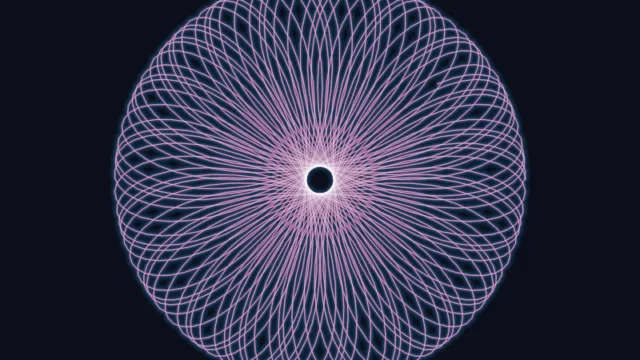
Draw paths, shapes and gradients, then place them onto your photos. Import existing SVG files, or export your composition as SVG.
More →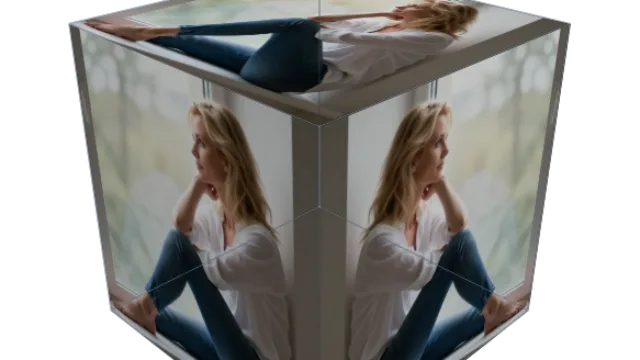
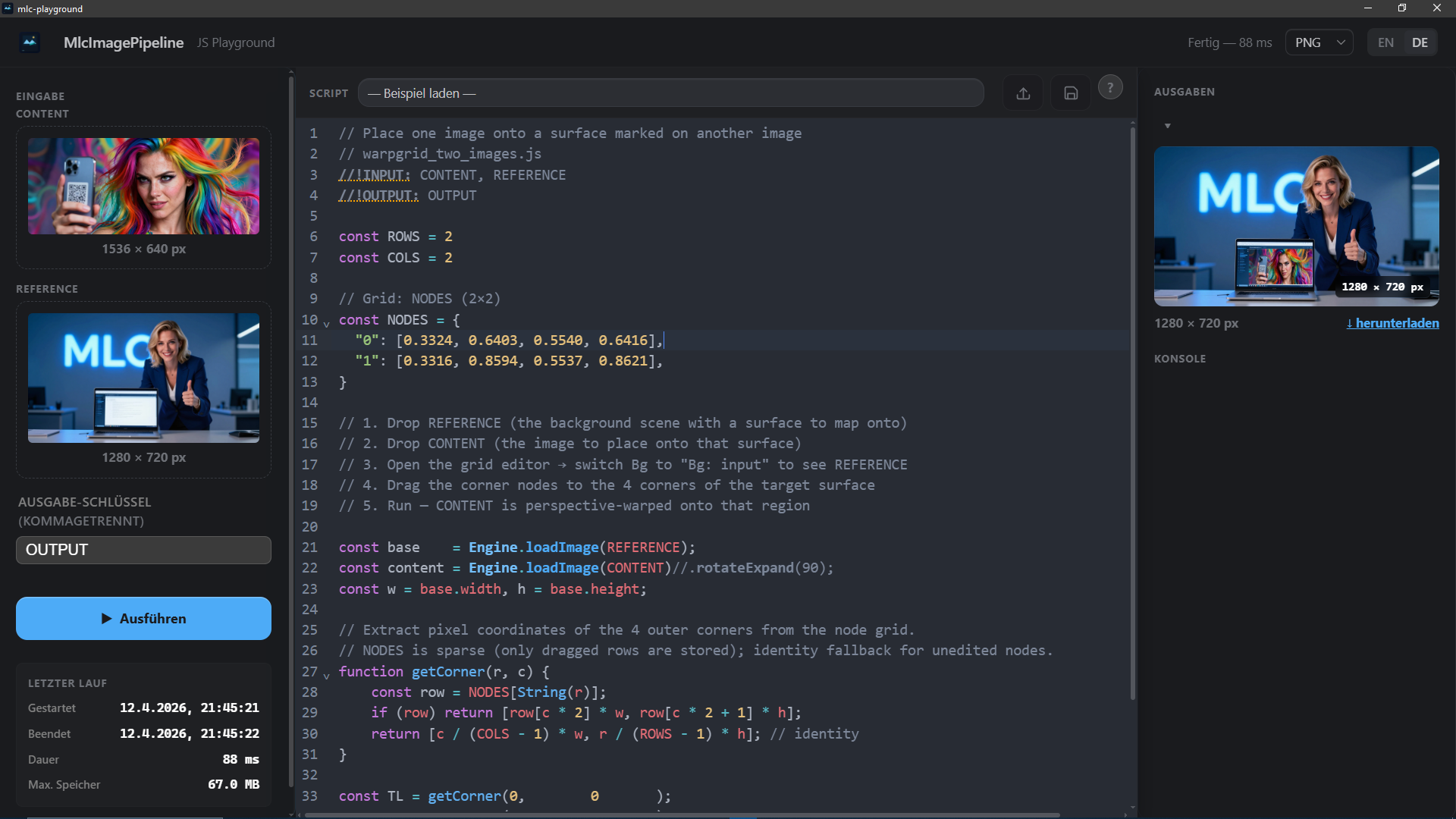
Define a control-point grid and warp images with sub-pixel precision. Create perspective effects, barrel distortions, or artistic deformations.
More →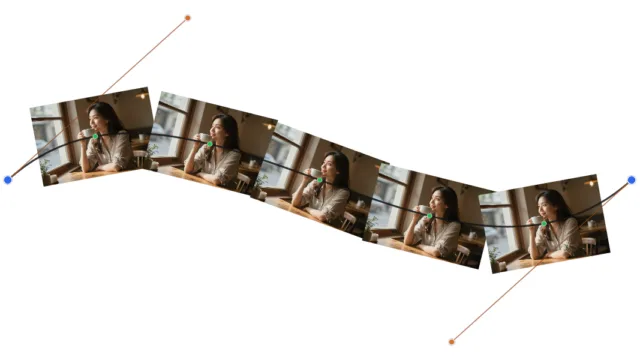
Blend, stack, and mask multiple images with 10 blend modes including Porter-Duff alpha compositing. Place images along Bezier curves.
More →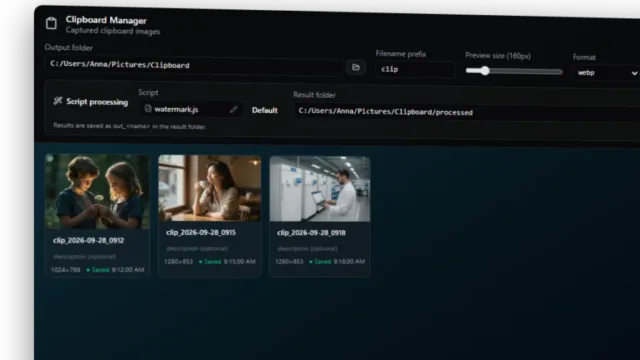
Take a screenshot — the finished file is already in the folder. The clipboard is watched, your script runs over every capture: three responsive sizes, your house frame, a redaction bar. Built for anyone who documents or tests software.
More →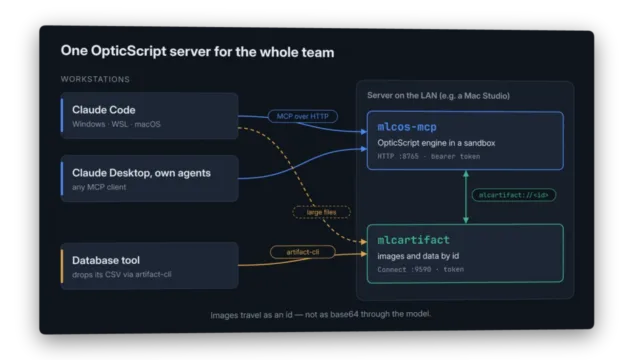
Connect Claude, Gemini or your own agent and it does not get three fixed filters — it gets the whole scripting engine. The model writes an OpticScript script, validates it, runs it. Ten tools, a scripting guide as a resource, two prompts that encode the order which actually produces working code — locally or as one server for the whole team, with images passed by id instead of base64.
More →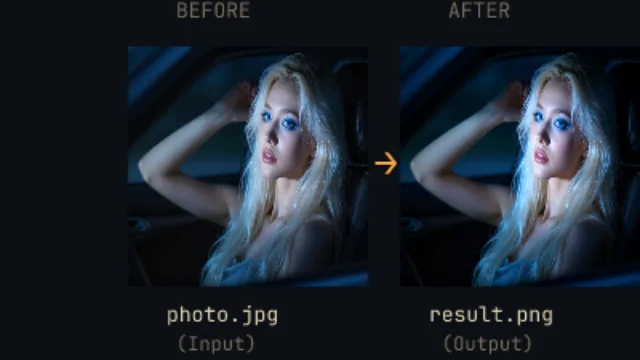
Run scripts from the command line, serve an HTTP API, or use the interactive desktop playground with live preview, parameter sliders, and gallery view.
More →Forget clunky editors and expensive cloud subscriptions. MLC OpticScript is your high-speed toolkit for image processing: A lightning-fast engine, JavaScript power, and local AI models bundled into one package.
Write a few lines of code and accomplish in milliseconds what usually requires expensive software:
- AI Background Removal: Clip subjects instantly without data uploads.
- AI Face Restoration (GFPGAN): Revive blurred, low-res or old scanned faces — fully on-device. Ships in the optional AI Tools Pack (Windows).
- Face Detection: Find, mark, or blur faces with a single command.
- AI Upscaling (Real-ESRGAN 4×): Make your images tack-sharp at the touch of a button. Ships in the optional AI Tools Pack (Windows).
The slim Base installer (~203 MB) carries the core engine plus the lightweight tools (rmbg, face detection). GFPGAN restoration and Real-ESRGAN upscaling live in a separate AI Tools Pack (~314 MB) you can add anytime. Pick Full if you want everything in one download.
No Python mess, no API keys, no waiting. Just code.
🛡️ New: copyright protection for photographers
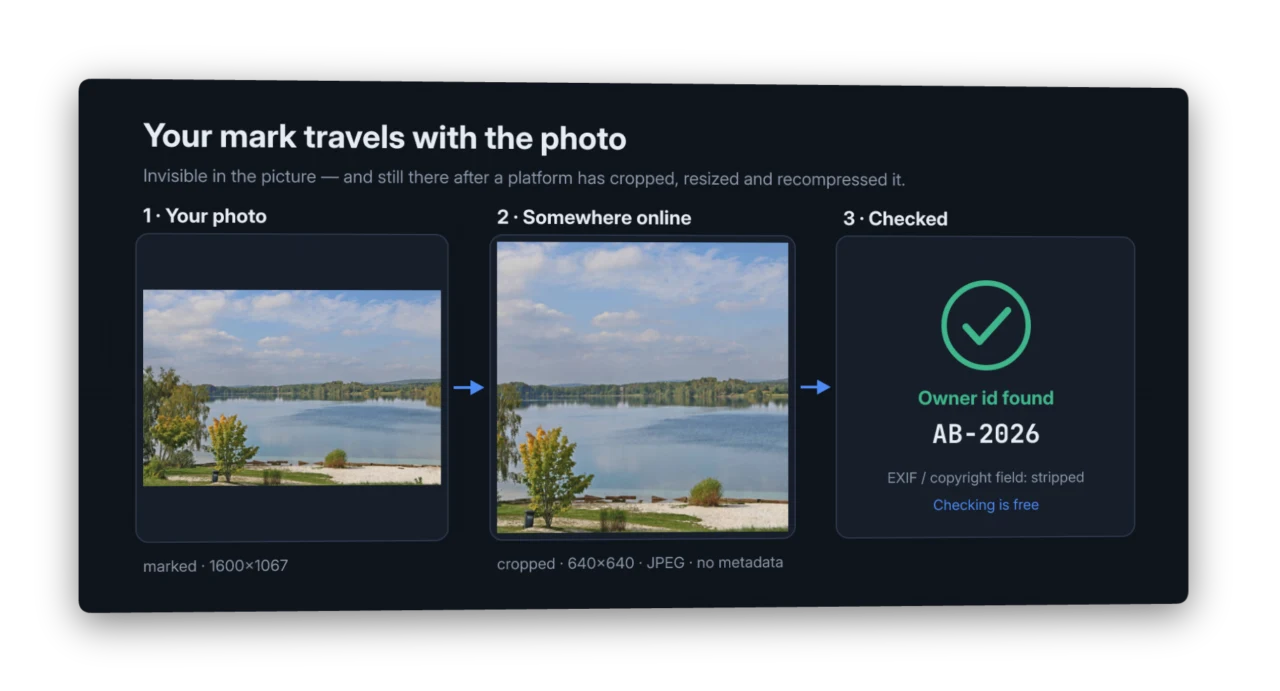
Your name lives in the picture — not in the metadata that social networks delete on upload. OpticScript marks photos with an invisible owner id that survives cropping, resizing and JPEG compression. Marking with OpticScript Pro, checking free for everyone.
→ More on copyright protection
Write scripts, see results instantly
The desktop playground gives you a code editor with live preview. Drop an image, write a few lines of JavaScript, and watch the result update in real time. Parameter sliders let you tweak values without touching code.
- 35+ operations — blur, sharpen, rotate, warp, blend, color grading, edge detection
- Chainable API —
img.brightness(1.2).blur(2).rotate(45).resize(800, 600) - Multi-output — generate several result images from a single script
- Gallery view — compare outputs side by side with zoom
Perfect Manuals & Docs – Zero Manual Effort.
Stop manually warping screenshots into device mockups. MLC OpticScript automates your documentation workflow:Instant Mockup Warping:
- Automatically map screenshots onto device frames with sub-pixel precision.
Privacy by Default:
- Use the local face-detect model to blur sensitive information or faces instantly across all your images.
Consistent Assets:
- Generate hundreds of high-quality graphics for your help guides in seconds using a single script.
Vector graphics meets raster processing
Draw paths, shapes, and gradients on a tiny-skia canvas, then composite them onto your raster images. Import SVG files with resvg or trace raster images to SVG with vtracer — all from JavaScript.
Warp, distort, and perspective-transform
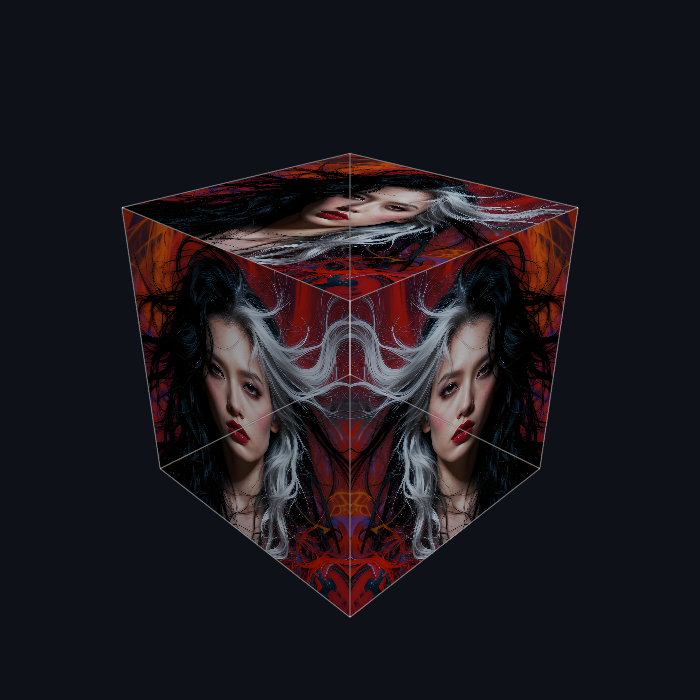
The WarpGrid system lets you define a mesh of control points and deform images with sub-pixel precision. Place photos onto 3D surfaces like cubes, create barrel distortions, or build artistic deformations — all with a few lines of code.
Warp images into anything
Use perspective transforms to place any image onto any surface. Map a screenshot onto a curved monitor mockup, wrap a photo around a 3D cube, or project artwork onto a rotating drum — all computed in real time.
// Place a screenshot onto a monitor mockup
const screen = Engine.loadImage("SCREENSHOT");
const mockup = Engine.loadImage("MONITOR");
screen.warp4(
  [120, 80],  [540, 95],   // top-left, top-right (on the monitor)
  [530, 370], [130, 355]   // bottom-right, bottom-left
);
mockup.blendAt(screen, 0, 0, { mode: BLEND_OVER });
The WarpGrid system goes further: define a mesh of control points and create barrel distortions, page curls, cylindrical wraps, or any freeform deformation.
Test data from one clean image
Image manipulation is not only for looks. Take one clean image with known content and let a script turn it into as many realistic variants as you need — each one still labelled, because you know what went in.
MLC Barcode tests its barcode reader exactly
like this: a clean medicine pack code is wrapped around a bottle with a
computed stampGrid mesh — modules narrowing towards the edges, rows
bending into arcs when the camera looks down — then lit, glared, blurred,
noised and saved as JPEG like a phone photo. 48 test photos, one command,
and the test knows what each one must read. The script and the images are
on GitHub;
a four-step version is in the examples
(Barcode on a bottle).
The same approach produces training and evaluation data for vision models and LLMs: vary lighting, perspective, noise and compression across thousands of images, with the ground truth for free.
Animations and background removal
Build multi-frame animations from a single script — fade-ins, slide-ins, montages — and export as APNG or animated WebP that plays natively in any modern browser or image viewer. The animation container handles silent off-canvas clipping, so slide-from-the-edge effects need no special code.
const anim = Engine.animation(800, 600, { loop: 0 });
const src  = Engine.loadImage(HERO);
for (let i = 0; i < 20; i++) {
  const frame = src.clone().brightness(i / 19);
  anim.addFrame(frame, { delay: 50 });
  frame.free();
}
anim.saveWebP(OUTPUT, { lossy: true, quality: 85 });
For background removal, two complementary tools:
rmbg— AI-driven cutout for photographic subjects. Runs the model directly on your machine; no cloud calls, no upload, no per-image fee. The 4.4 MB model (Apache-2.0) ships with the binary.removeWhiteBackground()— for sketches and line art on white paper, where AI has no clear subject to find. Three settings (threshold, feather, optional crisp-cut mode), runs in milliseconds.
Plugin & extension system
OpticScript ships two extension surfaces, both designed to work without recompiling the engine:
Tool Plugins — wrap any CLI
A Tool Plugin describes an external binary in a manifest.json
(executable path, input/output slots, parameter placeholders) and the
engine spawns it on demand. Image data flows through a per-call temp
directory so any program that reads/writes image files becomes a
script-callable function.
const cut = Engine.tool('rmbg').apply(img, { threshold: 0.0 });
Ready-to-use plugins, all shipped with the Base installer unless marked otherwise:
rmbg— AI-driven background removal (~5 MB on-device model, no API keys, no server, no network).gfpgan-detect— on-device face detection with 3-point landmarks (eyes + nose). Companion togfpgan-restore.gfpgan-restore— GFPGAN face restoration; revive blurred, low-res or old scanned faces. No cloud, no upload. In the AI Tools Pack (~314 MB add-on on Windows).facedetect— fast face detection for auto-blur or focus effects.mlcupscale— 4× Real-ESRGAN upscaling, models embedded in the binary — no Vulkan, no separate model download. In the AI Tools Pack (~314 MB add-on on Windows).stitch-gif— assembles multiple images into an animated GIF with a single clean script call.frame— minimal reference plugin showing how to write your own (~10 lines of code).
Plus an opt-in optional one:
-
mlcsd-txt2img— bridge to a local Stable-Diffusion HTTP server (mlc-stablediffusion). Runs the prompt through the server's OpenAI-compatible endpoint and feeds the resulting raster back into the script — text-to-image generation directly inside an OpticScript pipeline:const sd = Engine.tool('mlcsd-txt2img').apply( { prompt: "a coffee house in the rain at night, neon reflections", model: "z-image-turbo", seed: 42 }); sd.brightness(1.05).vignette(0.3).save(OUTPUT);
Engine extensions — internal JS modules
Heavier custom math or filter chains can be authored in TypeScript and
loaded into the QuickJS runtime as engine extensions. They become
first-class methods on Engine.* and can be imported by any script
without re-shipping the binary. The bundled cube extension is a
small example; full authoring guide is in docs/extensions/.
Both surfaces are documented at install time and discoverable from the Playground's Tools / Extensions tabs.
Convert between raster and vector
Trace any raster image to SVG with full control over the result — adjust color count, path simplification, speckle filtering, and more. Go the other way and render SVG files to raster at any scale.
// Raster → SVG
const svg = img.toSVG({ colorCount: 24, pathSimplify: "spline" });
Engine.writeSVG("OUTPUT_SVG", svg);

// SVG → Raster (at 2x scale for retina)
const rendered = Engine.loadSVG("logo.svg", 2.0);
Batch processing and automation
Use the CLI tool mlcos to process images in scripts and CI pipelines.
The HTTP server mlcos-server exposes the same engine as a REST API.
Or compile your JavaScript into a standalone binary with mlcos-compile.
| Mode | Use case |
|---|---|
| Desktop Playground | Interactive development, previewing, parameter tuning |
CLI (mlcos) |
Batch processing, shell scripts, CI/CD |
HTTP server (mlcos-server) |
Web apps, microservices, remote processing |
| Compiled binary | Standalone tools, deployment without runtime |
Built with our own tools
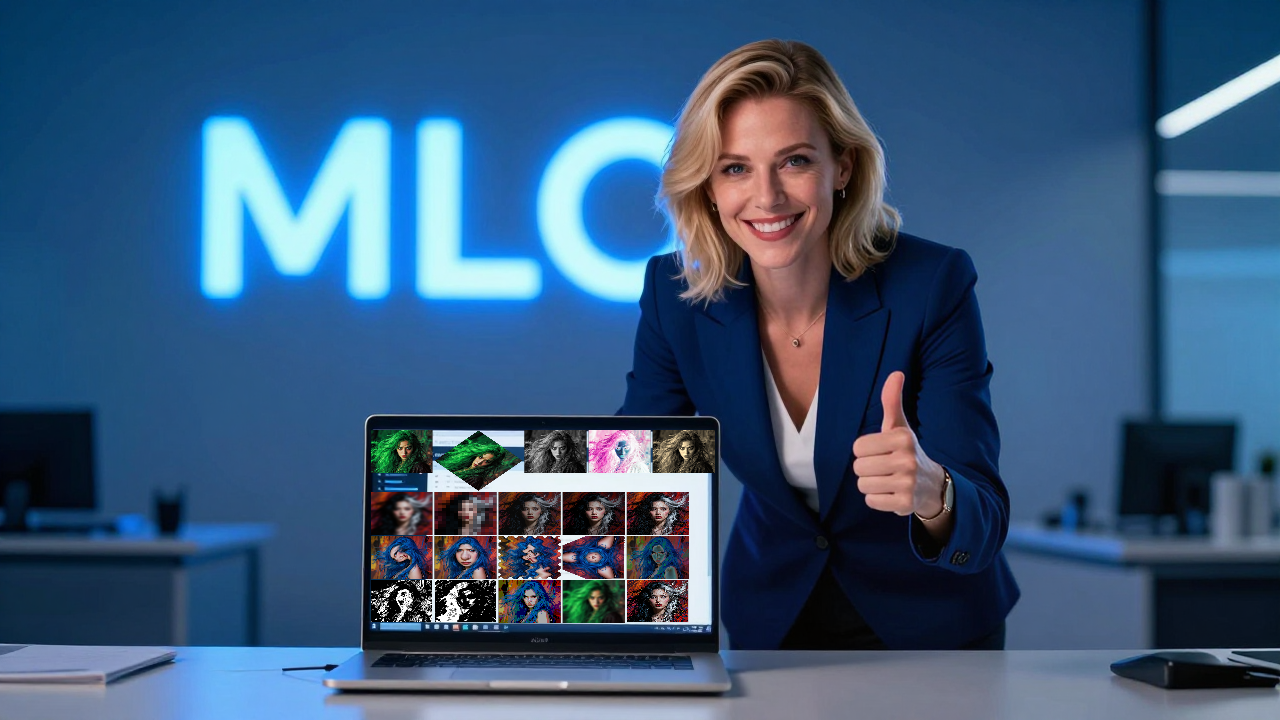
The hero image on this page was created entirely with MLC software:
- Background scene — generated with Z-Image, our on-device text-to-image model running on Apple Silicon. No cloud, no API key.
- Screenshot placement — the Playground screenshot was warped onto the laptop screen using OpticScript's
stampAt()perspective transform, driven from the command line withmlcos-run.
It took two commands. That's the point.
Built for performance — with numbers, not adjectives
Every pixel operation runs in native code. No external programs are spawned, no Python interpreter starts, no temporary files shuttle between tools.
What that means in practice, measured on two deliberately different machines so the numbers show a range rather than a best case:
| Image size | Blur | Resize to 50 % | Rotate 30° | Chain of 8 operations |
|---|---|---|---|---|
| Apple M2 Ultra | ||||
| 800 × 600 (screenshot) | 6 ms | 2 ms | 4 ms | 11 ms |
| 1920 × 1080 | 24 ms | 6 ms | 15 ms | 35 ms |
| 3840 × 2160 (4K) | 93 ms | 21 ms | 58 ms | 109 ms |
| Xeon E5-2650 v2, built in 2013 | ||||
| 800 × 600 (screenshot) | 41 ms | 6 ms | 14 ms | 49 ms |
| 1920 × 1080 | 202 ms | 60 ms | 109 ms | 280 ms |
| 3840 × 2160 (4K) | 748 ms | 218 ms | 355 ms | 1.5 s |
On current hardware a full 4K image goes through eight processing steps in a tenth of a second. Even on a twelve-year-old server CPU a screenshot is done in under a twentieth. That bottom row is there on purpose: what still feels immediate on old hardware feels immediate everywhere.
Why a chain of twenty steps loses nothing
Conventional image processing works in 8 bits — 256 levels per colour channel. Every step rounds, and the errors accumulate. After a handful of operations, gradients break into visible steps. That is banding.
OpticScript holds every image internally as 32-bit floating point RGBA. Nothing is rounded and nothing is clipped between operations. An 8-bit file appears only when you save.
The difference is measurable. We ran twenty pairs of steps that cancel each other out — brighter then darker, more contrast then less, forty operations in total. A lossless path has to arrive back at the original:
| Deviation from the original | Largest error | Tone levels kept | |
|---|---|---|---|
| OpticScript (floating point) | 85.5 dB | 0 of 255 | 240 of 256 |
| 8 bits after every step | 24.5 dB | 46 of 255 | 208 of 256 |
The 8-bit chain drifts by up to 46 brightness levels and loses 32 tone levels — that is banding, expressed as a number. OpticScript lands back on the original.
There is headroom above the top, too: values beyond 100 % brightness survive intermediate steps instead of being clipped for good. Brighten an image and darken it again later, and the highlights come back.
The numbers are identical to two decimal places on Intel and Apple Silicon — 85.51 against 24.49 dB on both. The same arithmetic, the same result, whichever machine your pipeline runs on.
Both tables can be reproduced: the bundled mlcos-analyze compare
prints exactly these figures.
Format coverage at a glance
| Read | Write | Animation | Metadata |
|---|---|---|---|
| PNG, JPEG, WebP, AVIF, TIFF, SVG | PNG, JPEG, WebP, AVIF, TIFF, SVG | Animated WebP, APNG, multi-page TIFF | EXIF read on every load · written on save — in all four raster formats |
- One binary, all formats. No system libraries, no system fonts, no
Python, no Node. The compiled
.execarries everything (libwebp, libpng, libtiff, libavif, resvg, vtracer) statically linked. - EXIF round-trip —
meta.exif.*is populated automatically byEngine.loadImage(); values stay attached through a chain and are stamped back on save — as EXIF in JPEG, WebP, AVIF and PNG, plus an XMP packet in PNG. Each format the way it is normally done: APP1 in JPEG, a RIFF chunk in WebP, an Exif item in AVIF, a compressed raw profile in PNG. Check it withmlcos-analyze exif <file>— or on macOS withsips -g all. - Animations built one frame at a time via
Engine.animation(w, h, { loop: 0 }), then exported as a single APNG / WebP / TIFF file — every modern browser and image viewer plays them natively. - Vector loop — trace any raster to SVG with vtracer, render any SVG back to raster with resvg, all without leaving the script.