Scissor cuts — straight slices, pushed apart on white
A photo cut apart with a knife: each cut is one straight line from edge to opposite edge, and every resulting piece is pushed outward from the centre so the seams open. The pieces lie on white and cast a shadow, which is what makes them read as paper rather than painted-on cracks. Not to be confused with `demo_delaunay`, which does the opposite: it triangulates the plane and twists every shard in place, on dark slate. Straight cuts and translation here — triangles and rotation there. Three sliders steer the look — `CUTS` controls how many shards you get, `JITTER` how far they fly apart, `SEED` reproduces an exact pattern. Great for editorial collage layouts, broken-mirror posters, glitch-style album covers, or punchy social-media headers from a single source photo.
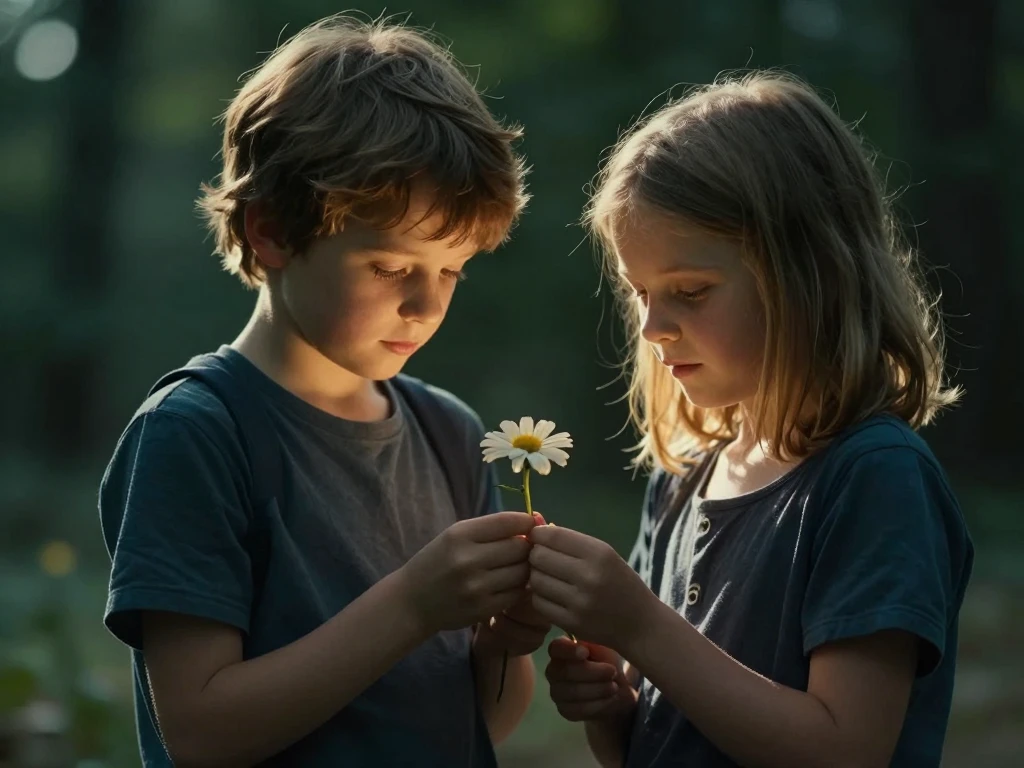
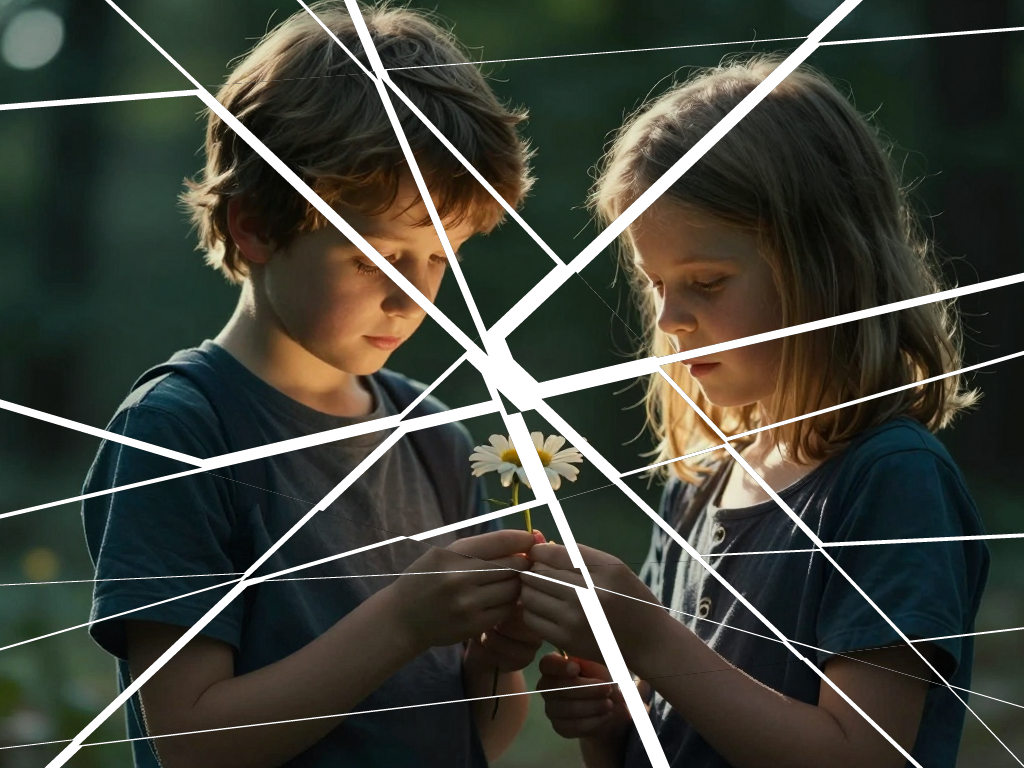
// Shatter / cut-and-jitter — slice the image with N random straight
// cuts (each between a pair of opposite sides), then push every tile
// outward from the centre by JITTER px so the seams open into visible
// gaps.
//
// Generated by Gemini 2.5 Pro via gemini-cli from SKILLS.md as the
// sole reference, then hand-cleaned for whitespace. Per-polygon
// mask/tile allocation cropped to the polygon bbox (Tier-1 optimisation
// over the LLM's first cut, which allocated full W×H buffers per poly).
// Same algorithm; ~7× less transient memory churn at typical CUTS.

//!INPUT: SRC
//!OUTPUT: OUT
//!PARAM: CUTS:integer=2,min=1,max=100
//!PARAM: JITTER:integer=12,min=0,max=64
//!PARAM: SEED:integer=0,min=0,max=1000000
//!PARAM: SHADOW:integer=10,min=0,max=64
//!PARAM: BG_COLOR:string=#ffffff

// Seeded LCG for reproducible randomness; SEED=0 picks a random state.
let state = SEED === 0 ? Math.floor(Math.random() * 1000000) : SEED;
const rand = () => {
    state = (state * 1103515245 + 12345) % 2147483648;
    return state / 2147483648;
};

const img = Engine.loadImage(SRC);
const W = img.width;
const H = img.height;
const center = { x: W / 2, y: H / 2 };

// Start with a single polygon covering the entire image.
let polygons = [[{ x: 0, y: 0 }, { x: W, y: 0 }, { x: W, y: H }, { x: 0, y: H }]];

// Iteratively split polygons using random straight lines between opposite sides.
for (let i = 0; i < CUTS; i++) {
    let p1, p2;
    if (rand() < 0.5) {
        // Vertical-ish: top edge -> bottom edge
        p1 = { x: rand() * W, y: 0 };
        p2 = { x: rand() * W, y: H };
    } else {
        // Horizontal-ish: left edge -> right edge
        p1 = { x: 0, y: rand() * H };
        p2 = { x: W, y: rand() * H };
    }

    const nextBatch = [];
    for (const poly of polygons) {
        const partA = [], partB = [];
        for (let j = 0; j < poly.length; j++) {
            const a = poly[j], b = poly[(j + 1) % poly.length];

            // Signed distance of each vertex to the cut line p1->p2
            const distA = (p2.x - p1.x) * (a.y - p1.y) - (p2.y - p1.y) * (a.x - p1.x);
            const distB = (p2.x - p1.x) * (b.y - p1.y) - (p2.y - p1.y) * (b.x - p1.x);

            if (distA >= 0) partA.push(a);
            if (distA <= 0) partB.push(a);

            // If the edge straddles the line, insert the intersection point.
            if (distA * distB < 0) {
                const t = Math.abs(distA) / (Math.abs(distA) + Math.abs(distB));
                const inter = { x: a.x + t * (b.x - a.x), y: a.y + t * (b.y - a.y) };
                partA.push(inter);
                partB.push(inter);
            }
        }
        if (partA.length >= 3) nextBatch.push(partA);
        if (partB.length >= 3) nextBatch.push(partB);
    }
    polygons = nextBatch;
}

// Weisser Grund statt durchsichtig. Vorher lagen die Stuecke auf
// Transparenz, und die Schnitte sahen aus wie weiss gemalte Striche
// auf einem heilen Bild. Auf einer Flaeche mit Schatten sieht man
// dagegen Papierstuecke, die nebeneinander liegen.
const SHADOW_DX = 3, SHADOW_DY = 4;
const out = Engine.createColoredImage(W, H, Pixel.fromHex(BG_COLOR));

for (const poly of polygons) {
    // Shoelace centroid: (cx, cy) is the area-weighted polygon centre.
    let area2 = 0, cx = 0, cy = 0;
    for (let i = 0; i < poly.length; i++) {
        const a = poly[i], b = poly[(i + 1) % poly.length];
        const f = a.x * b.y - b.x * a.y;
        area2 += f;
        cx += (a.x + b.x) * f;
        cy += (a.y + b.y) * f;
    }

    if (Math.abs(area2) > 0.01) {
        cx /= (3 * area2);
        cy /= (3 * area2);

        // Direction from image centre to polygon centroid, normalised.
        const dx = cx - center.x, dy = cy - center.y;
        const dMag = Math.sqrt(dx * dx + dy * dy);
        const offX = dMag > 0 ? (dx / dMag) * JITTER : 0;
        const offY = dMag > 0 ? (dy / dMag) * JITTER : 0;

        // Polygon bbox (clamped to image rect). Working in bbox-local
        // coords means the mask, the cloned tile, and the rasterised
        // canvas are all only as big as the polygon needs — instead of
        // full W×H for every region. Saves ~36 MB per poly at 1024².
        let minX = W, minY = H, maxX = 0, maxY = 0;
        for (const p of poly) {
            if (p.x < minX) minX = p.x; if (p.y < minY) minY = p.y;
            if (p.x > maxX) maxX = p.x; if (p.y > maxY) maxY = p.y;
        }
        const bx = Math.max(0, Math.floor(minX));
        const by = Math.max(0, Math.floor(minY));
        const bw = Math.min(W, Math.ceil(maxX)) - bx;
        const bh = Math.min(H, Math.ceil(maxY)) - by;
        if (bw < 1 || bh < 1) continue;

        // Rasterise the polygon mask at bbox size (vertices shifted into bbox-local).
        const cv = Engine.createCanvas(bw, bh);
        const path = Engine.createPath();
        path.moveTo(poly[0].x - bx, poly[0].y - by);
        for (let i = 1; i < poly.length; i++) path.lineTo(poly[i].x - bx, poly[i].y - by);
        path.close();

        cv.fill('#fff').drawPath(path);

        // Mask = bbox-sized alpha image; tile = bbox-sized image crop.
        // applyMask zeroes outside the polygon; blendAt places it at the
        // displaced bbox origin.
        const mask = cv.toImage();
        const tile = img.clone().crop(bx, by, bw, bh).applyMask(mask);

        // Schlagschatten braucht Platz: dropShadow verschiebt und
        // weichzeichnet eine Silhouette HINTER das Bild, aendert aber
        // die Bildgroesse nicht. Ohne Rand waere der Schatten an der
        // Kante abgeschnitten — genau an der Stelle, wo man ihn sieht.
        // Deshalb erst polstern, dann werfen, dann um den Rand
        // versetzt platzieren (SKILLS.md: "pre-pad").
        if (SHADOW > 0) {
            const m = SHADOW + SHADOW_DY + 2;
            tile.pad(m, m, m, m)
                .dropShadow(SHADOW_DX, SHADOW_DY, SHADOW, "#00000088", 0.8);
            out.blendAt(tile,
                        px(bx + Math.round(offX) - m, by + Math.round(offY) - m),
                        1.0, Blend.Over);
        } else {
            out.blendAt(tile,
                        px(bx + Math.round(offX), by + Math.round(offY)),
                        1.0, Blend.Over);
        }

        tile.free();
        mask.free();
        path.free();
        cv.free();
    }
}

out.save(OUT);
out.free();
img.free();

// © 2026 Michael Lechner · mlc OpticScript · https://mlcgo.eu · Elastic License 2.0