// MLC SSH Tray Agent v0.1.3 BETA
See who is connected to this PC
// Features
Why choose MLC SSH Tray Agent.
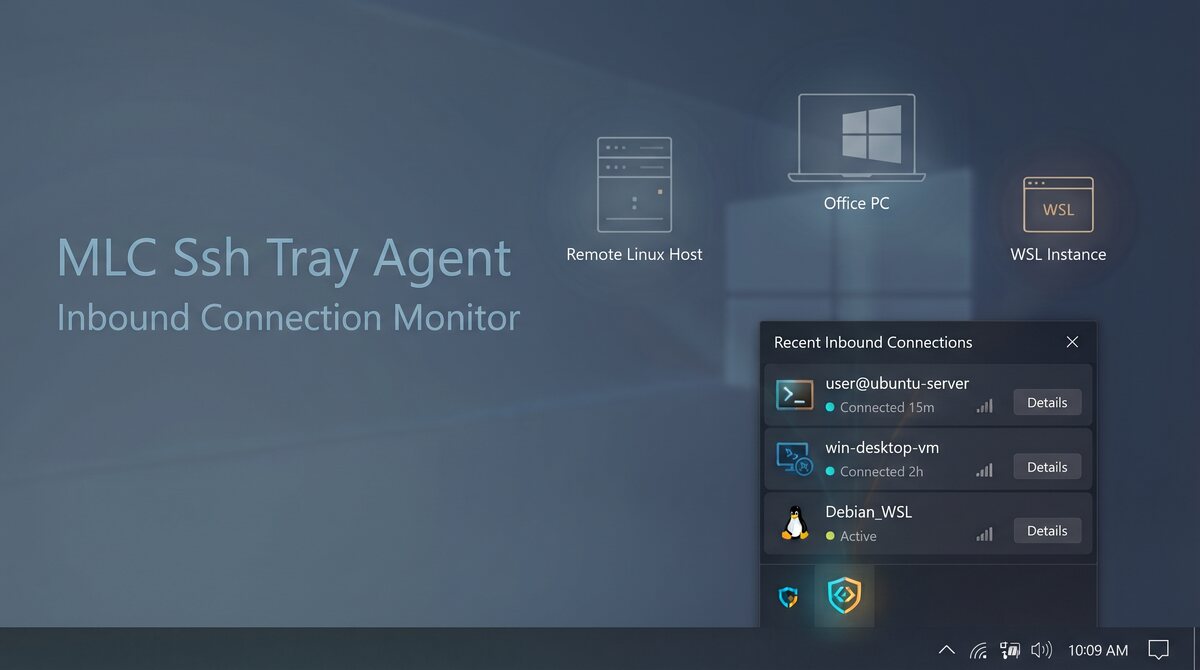
Shows Windows OpenSSH, Remote Desktop and WSL SSH sessions with user, source and duration.
A desktop notification appears as soon as someone connects.
Follows the Windows display language and light/dark theme.
A small tray icon for Windows that lists the SSH, RDP and WSL sessions currently open on the machine — and tells you when a new one starts.
What it does
The icon shows the number of active remote sessions. Click it for the list: who is logged in, from where, and for how long. When a new session appears, Windows shows a notification.
Useful wherever several people — or autonomous AI agents — work on remote machines: a forgotten SSH or RDP session no longer stays open unnoticed.
Works well with MLC Terminal
The tray agent shows who is connected to this PC. MLC Terminal is the other side: a multi-window SSH client with file browser, editor, shell and Docker for the machines you connect to — nothing to install on the server.
Requirements
Windows 10 or 11, x64 or ARM64. Nothing to configure; start it and it sits in the tray.