Chapter 7: The Power of Combination - Multi-Server Orchestration
The true revolution of MCP does not lie in connecting a single server, but in the combination of many specialized servers. In this chapter we show, with a detailed example, how the client gathers instructions from different sources and guides the LLM through a complex workflow.
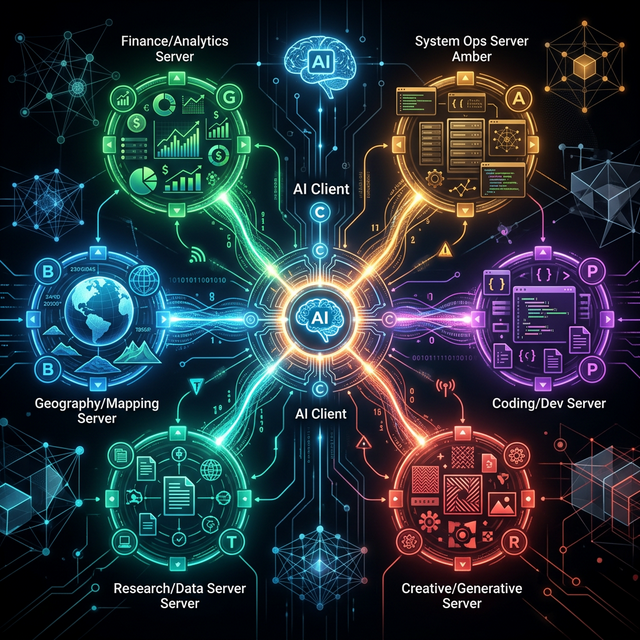
The Scenario: The Global Support Assistant
We use two MCP servers at the same time:
- Server A (customer DB):
- Tool:
get_customer_data(id) - Prompt:
customer_support_persona(instruction: "Always treat customer data with respect.")
- Tool:
- Server B (translator):
- Tool:
translate(text, target_lang) - Prompt:
professional_translator(instruction: "Use formal German (Sie).")
- Tool:
User request: "Get me the info on customer 123 and translate his biography into German."
Phase 1: Building the Combined System Context
Before the LLM sees the first message, the client fetches the Prompts from both servers and merges them into a single, powerful system prompt.
JSON: The Client Builds the Request (Turn 1)
{
  "model": "gpt-4",
  "messages": [
    {
      "role": "system",
      "content": "Combined instructions:\n1. [From customer DB server]: Always treat customer data with respect.\n2. [From translator server]: Use formal German (Sie)."
    },
    { "role": "user", "content": "Get the info on customer 123 and translate the biography into German." }
  ],
  "tools": [
    { "name": "get_customer_data", "description": "Reads customer data..." },
    { "name": "translate", "description": "Translates text..." }
  ]
}
Phase 2: The Multi-Step Loop (Execution)
Turn 2: The LLM Chooses the First Tool
The LLM recognises: "I need the data first, before I can translate."
{
  "role": "assistant",
  "tool_calls": [
    { "id": "call_1", "function": { "name": "get_customer_data", "args": "{\"id\": \"123\"}" } }
  ]
}
Turn 3: The Client Supplies the Result and Asks Again
The client has executed get_customer_data on Server A. The biography is in English.
{
  "messages": [
    "...",
    { "role": "tool", "tool_call_id": "call_1", "content": "{\"name\": \"John\", \"bio\": \"Living in NY, loving jazz.\"}" },
    { "role": "user", "content": "..." }
  ]
}
Turn 4: The LLM Uses the Second Tool (Orchestration)
The LLM takes the English text from step 3 and sends it to Server B. Note: the LLM "remembers" the translator instruction ("Use 'Sie'") that originally came from Server B!
{
  "role": "assistant",
  "tool_calls": [
    { "id": "call_2", "function": { "name": "translate", "args": "{\"text\": \"Living in NY, loving jazz.\", \"target_lang\": \"de\"}" } }
  ]
}
Phase 3: The Final Answer
After Server B has delivered the translation ("Wohnt in NY, liebt Jazz."), the LLM formulates its response taking all instructions into account:
Assistant: "Here is the information on customer 123 (John): He lives in New York and loves jazz music."
Why This Is So Powerful
- Division of knowledge: Server A knows everything about customers, Server B everything about languages. Neither knows the other, but the client + LLM brings them together.
- Centralised logic: The instruction to use "Sie" lives in exactly one place, in the Translator server. Every client that integrates this server automatically inherits this quality standard.
- Dynamic intelligence: If you add a "compliance server" tomorrow that contributes a GDPR instruction, the LLM will immediately start applying these rules to all customer queries - without you having to touch the code of the other servers.
MCP makes AI modular. It allows us to compose complex behaviours out of small, well-defined building blocks (servers). Our mcp-tester is the tool with which you verify each of these components in isolation, so that the finished whole works perfectly at the end.
← Chapter 6: Prompts | Table of Contents | Next Chapter: The Tool Trap →
Copyright Michael Lechner - 2026-02-28