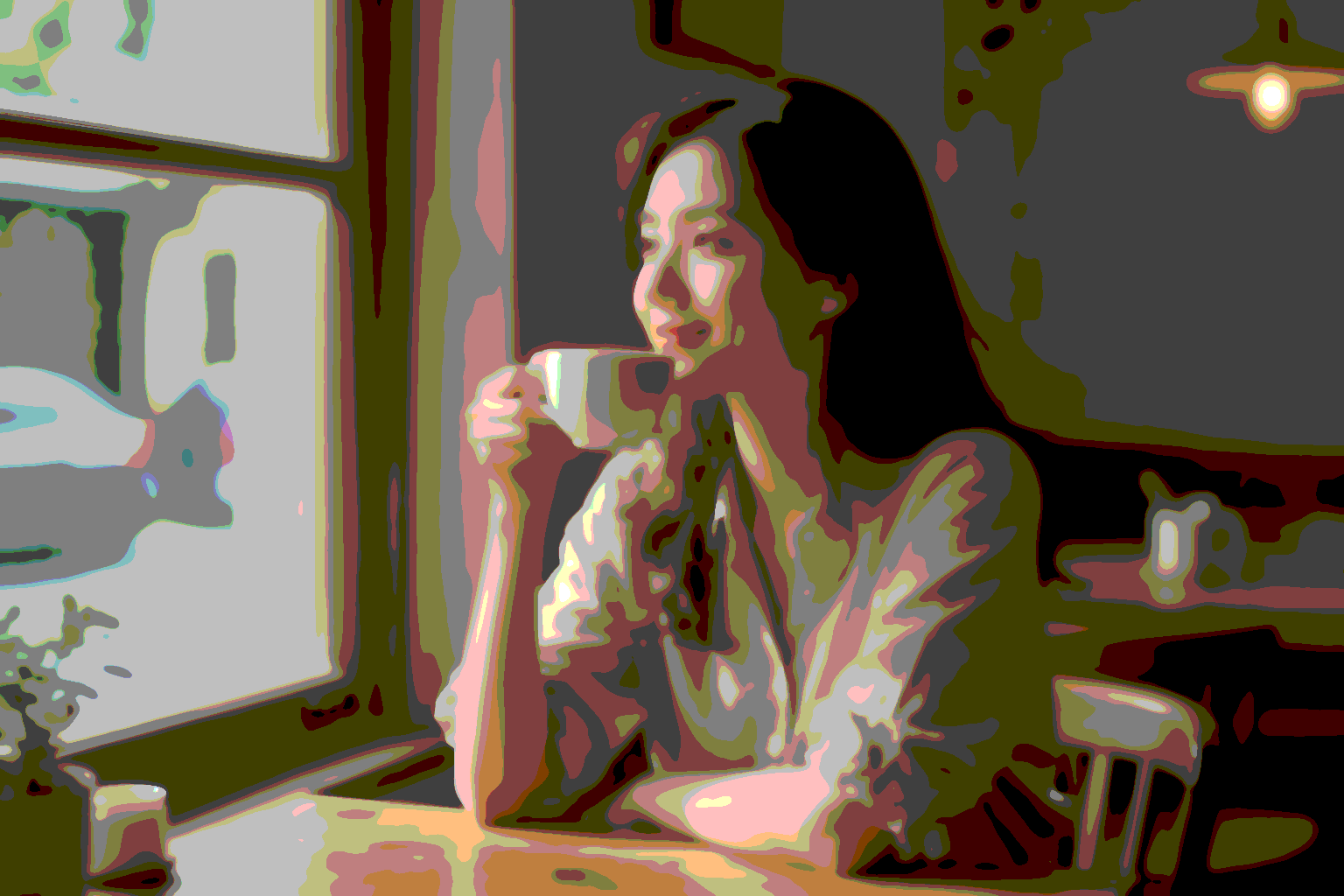
Poster-art look — flat colour blocks with crisp ink outlines
Turns any photo into a graphic-novel / silk-screen poster: the image collapses into a small palette of flat colour fields, then sharp black outlines on top trace the underlying structure. Eight sliders steer the look — how many colour levels, how aggressively edges are picked up, how much ink weight, how smooth the colour regions become. Great for editorial illustrations, T-shirt prints, social-media hero artwork from a single portrait.
INPUT

Flat + ink
JavaScript
// Cubist / Picasso-flat look — flat colour planes + bold black edges
// demo_cubist.js
//!INPUT: INPUT
//!OUTPUT: OUTPUT
//!PARAM: BILATERAL_PASSES:number=2,min=1,max=5
//!PARAM: BILATERAL_D:number=11,min=3,max=21
//!PARAM: BILATERAL_SC:number=0.40,min=0.05,max=1.0
//!PARAM: BILATERAL_SS:number=18,min=1,max=50
//!PARAM: POSTERIZE_LEVELS:number=5,min=3,max=10
//!PARAM: CANNY_LOW:number=0.08,min=0.0,max=1.0
//!PARAM: CANNY_HIGH:number=0.25,min=0.0,max=1.0
//!PARAM: EDGE_BOOST:number=1.0,min=0.0,max=2.0

// Cubist look without any new Rust op:
//
//   1. Heavy bilateral blur (a few passes) collapses fine detail
//      while keeping major colour boundaries — the foundation of
//      "flat regions".
//   2. posterize(N=5) snaps colours to a few hard steps. Lower N =
//      more abstract; higher = more photographic.
//   3. canny edge detection on the *original* image extracts the
//      visible structure as bright pixels on black.
//   4. We turn that edge map into "opaque black on transparent"
//      using applyMask on a freshly created blank image, then
//      composite Over the flat-colour layer. EDGE_BOOST scales the
//      mask's contrast before applying — pushing more edges past
//      the visibility threshold.
//
// Result: posterised colour planes overlaid with bold black contours.
// Best on portraits / faces / street scenes; pure landscapes turn
// muddy because the bilateral blur has too little structure to bite.

const img = Engine.loadImage(INPUT);

// 1) Flat-colour base — clone first so the canny pass can run on
// the unblurred original (sharper edges, fewer false negatives).
const flat = img.clone();
for (let i = 0; i < BILATERAL_PASSES; i++) {
    flat.bilateralBlur(BILATERAL_D, BILATERAL_SC, BILATERAL_SS);
}
flat.posterize(POSTERIZE_LEVELS);

// 2) Edge map — grayscale + canny on the ORIGINAL.
const edges = img.clone().grayscale().canny(CANNY_LOW, CANNY_HIGH);
if (EDGE_BOOST !== 1.0) { edges.brightness(EDGE_BOOST); } // push edges into stronger contrast

// 3) Turn edge brightness → alpha on a black image.
// createImage gives transparent black (RGB=0, A=0). applyMask sets
// alpha from the mask's luminance — bright edges → opaque black,
// non-edges → transparent.
const inkLayer = Engine.createImage(img.width, img.height);
inkLayer.applyMask(edges);
edges.free();

// 4) Composite the black ink over the flat colour layer.
flat.blendAt(inkLayer, new Px(0, 0), 1.0, BlendMode.Over);
inkLayer.free();

flat.save(OUTPUT);
flat.free();
img.free();

// © 2026 Michael Lechner · mlc OpticScript · https://mlcgo.eu · Elastic License 2.0